Quick Answer: The WhatsApp Business API is not an app you download from a store. You reach it through Meta's Cloud API, usually by working with a Meta Solution Provider that connects your business number, handles the technical setup and runs the messaging. Start in Meta Business Manager, prepare your business documents, and choose a provider that is Meta-verified.
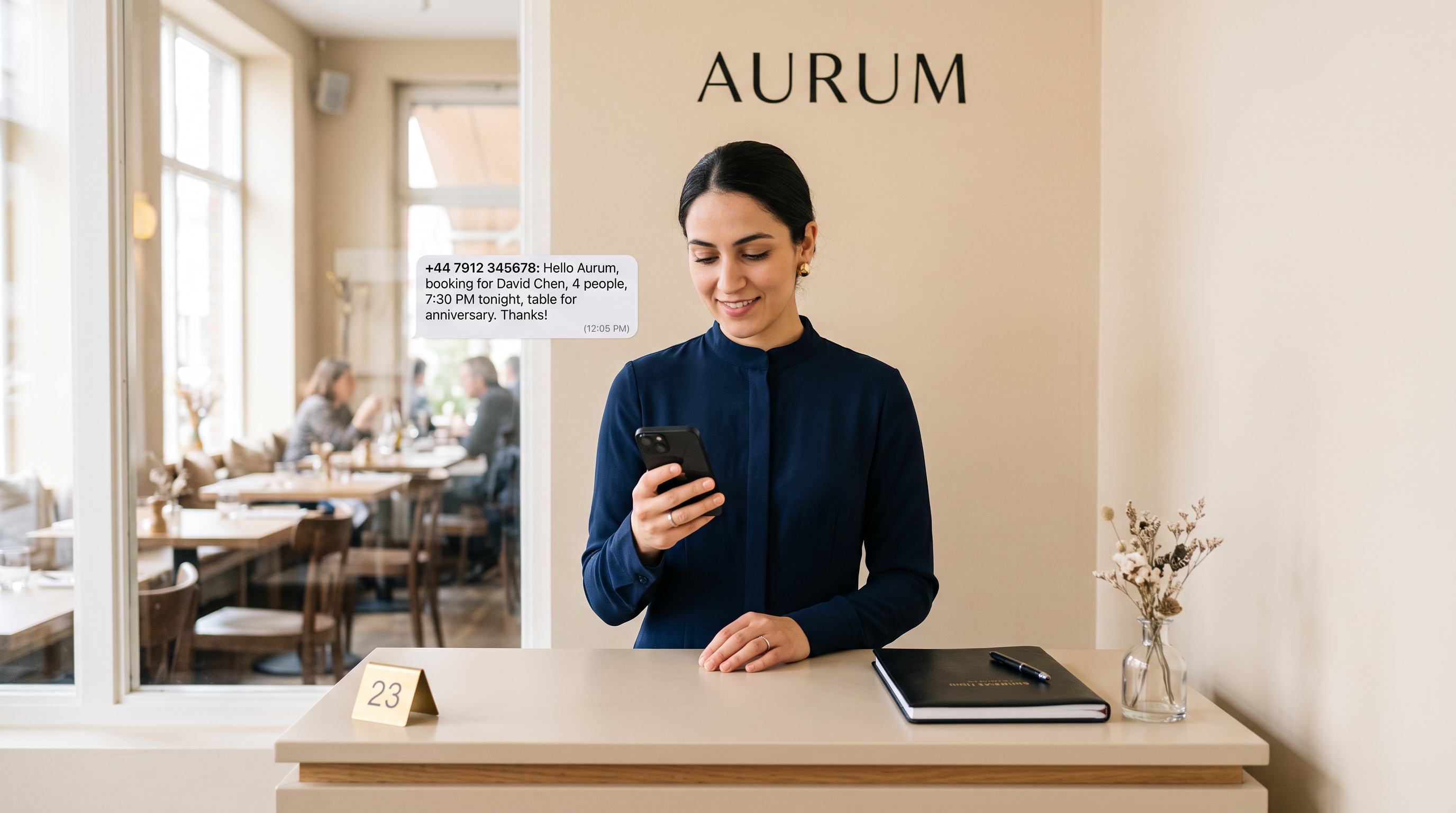
A clinic receptionist answers the same questions on WhatsApp every morning. Is there a slot today? What does the visit include? Can a parent book for a child? By noon the thread is full, and the messages that matter sit under the ones that do not.
The WhatsApp Business API exists for this problem. It lets a business answer at scale, from a shared inbox or an automated agent, while the number stays the company's own. Most operators who search for it want to know where it comes from, how the setup works, what it costs and what can go wrong.
This guide answers those questions in order. It is written for businesses anywhere in the world, including operators who serve customers in English and Gulf Arabic.
Where do you actually get the WhatsApp Business API?
You do not get it from WhatsApp the way you get the consumer app. Access runs through Meta, the company that owns WhatsApp. Meta provides the Cloud API, which is the interface developers and providers use to send and receive messages on a business number.
Most businesses reach the Cloud API through a Meta Solution Provider. A Solution Provider is a partner company that holds a relationship with Meta, handles the technical connection and supports onboarding. Check the provider's Meta status before you sign anything.
Some businesses connect the number themselves through their own Meta Business Manager and developers. This works for teams with in-house engineering capacity. For most operators, a provider shortens the path and reduces avoidable mistakes.
Which access route should you choose?
The route you pick decides how fast you launch and who handles problems later. The table below compares the three paths operators usually consider.
| Route | Who handles the connection | Best for | What you still own |
|---|---|---|---|
| Direct build on the Meta Cloud API | Your developers | Teams with engineering capacity and time to spare | Setup, templates, uptime and updates |
| Meta Solution Provider | The provider, under your business account | Most small and mid-sized operators | Content, templates, customer rules and staff oversight |
| Shared inbox tool without automation | The software vendor | Teams that only need several agents on one number | Staffing, response times and escalation |
Whichever route you choose, the business keeps its phone number and its customer history. Ask who holds the account credentials. Ask how you would move if you changed providers. Those answers matter more than a feature list.
How do you set up the WhatsApp Business API, step by step?
- Create or confirm a Meta Business Manager account for the company, with an admin you trust.
- Submit business verification documents, such as a registration certificate and a business address. Meta reviews them, and the timing varies by country and business type.
- Choose a dedicated business phone number. It must not be active on a personal WhatsApp account or the consumer WhatsApp Business app, because a number tied to a personal account is hard to move later.
- Pick a Solution Provider and sign the agreement. Confirm in writing who owns the WhatsApp Business Account and the phone number.
- Set the display name and business profile. Meta reviews the display name, so use the name that matches your registered business.
- Write message templates for messages you start, such as appointment reminders or order updates. Meta must approve each template before you use it.
- Connect your help desk, CRM or AI agent through webhooks, so incoming messages reach the right place.
- Test with internal numbers, check replies in Arabic and English, then open the number to customers.
Plan the timeline around verification and template approval. Both vary by country and business type, so they are the steps most likely to wait on someone else. A provider with a clear onboarding checklist will tell you which step is waiting on whom.
What does the WhatsApp Business API cost?
The cost has several layers, and teams often mix them together. Read each layer separately before you compare offers.
- Conversation charges from Meta. Meta bills per conversation, and the rate depends on the message category and the customer's country. Check Meta's current rate card directly, because rates change.
- Provider fees. The Solution Provider charges for the platform, onboarding and support. Ask whether the fee is monthly, usage based or both.
- Integration and content work. Templates, flows, CRM links and staff training take time. Ask who does the work and whether it is included.
- Staff time. Someone still reviews escalations and sets the tone of the business. An automated agent reduces the load, but it does not remove the need for ownership.
Ask every provider for a written breakdown of these four layers. A quote that shows one figure and hides the rest is not a complete quote. Compare the total cost of running the channel for a month, not the headline line.
What are the common pitfalls?
Most problems come from a few predictable mistakes. Each one is easy to avoid once you know it exists.
The first pitfall is moving a number that already runs on a personal WhatsApp account. The number has to be cleared first, and some teams lose chat history during the switch. Tell your customers the number is changing, and export the chats you need before you begin.
The second pitfall is sending messages more than 24 hours after the customer last wrote, without an approved template. Meta restricts free-form messages once the customer service window closes. A template keeps the message allowed, but only after Meta approves it.
The third pitfall is a vague handoff. An automated agent should know when to stop and pass a case to a person. Complaints, refund requests and anything involving a medical or legal question need a clear route to a human.
The fourth pitfall is ignoring language. A customer who writes in Gulf Arabic and receives a stiff, formal English reply will notice. Test replies in both languages, using phrasing your own customers actually use.
The fifth pitfall is treating launch as the finish line. Review unresolved threads and response times each month. Adjust the wording where customers get stuck, and update templates when your offer changes.
How does it work for restaurants, clinics and property teams?
The mechanics are the same in every sector, but the conversations differ. The examples below are generic scenarios, not client results.
A restaurant uses the number for table bookings, menu questions and order updates. The team sets templates for confirmations and reminders. The agent answers questions about opening hours and allergens, and a staff member takes over when a guest asks to change a large group booking. See how restaurants use WhatsApp for common setups.
A clinic uses the number for appointment requests, reschedules and pre-visit instructions. Clinical questions go to a human, and the agent handles the administrative work around them. The clinic keeps oversight of every decision that needs medical judgment. Read more in the clinic guide.
A property team uses the number for viewing requests, document questions and follow-ups after a visit. A prospect who writes late at night gets a reply within seconds, and a broker picks up the conversation in the morning. The real estate page shows the same workflow in more detail.
What should you check before you choose a provider?
- Confirm the Meta Solution Provider status, and ask for the partner reference.
- Confirm that your business owns its WhatsApp Business Account and phone number.
- Ask how an escalation reaches a person, and how quickly.
- Test a Gulf Arabic conversation and an English conversation before you sign.
- Ask for references you can contact, and read the case studies with the proof behind them.
KIRA is a Meta-verified Solution Provider. Its WhatsApp AI agent, Lojain AI, handles pricing objections, complaints, follow-ups and escalations, in Arabic and English, around the clock. Brands using Lojain AI respond in under 3 seconds, 24/7. Lojain AI works alongside your team, and your staff keep oversight of every decision that needs judgment. If you are weighing alternatives, the side-by-side comparison with WATI sets out the differences.
For the underlying channel setup, the WhatsApp Business API page explains the route in more depth. The resource library covers related topics such as templates and handoffs.
Frequently asked questions
Is the WhatsApp Business API the same as the WhatsApp Business app?
No. The Business app suits one small team working from a phone. The API is built for shared inboxes, automation and integration with other systems, and it runs through Meta's Cloud API.
Do I need a developer to use the WhatsApp Business API?
Not always. A Solution Provider handles most of the technical connection. A developer still helps when you need custom links to a CRM or booking system.
How long does verification take?
It depends on the country, the business type and the documents you submit. Keep your registration papers and business address ready before you start.
Can I keep using the same number on the Business app and the API?
Not in the usual setup. Move the number to the API on purpose, and export any chats you need first.
Can an automated agent speak Arabic and English?
Yes, if the agent is configured for both languages. Test it with real customer messages in Gulf Arabic and English, then have a native speaker on your team review the replies.
Do I need template approval for every message?
No. Replies sent inside the customer service window do not need a template. Messages you start after that window need an approved template.
Who should own the WhatsApp Business Account?
The business should own it, not an individual employee or a vendor. Record the admin accounts in writing, and remove access when someone leaves the team.
The number is the easy part. The discipline sits in the handoff, the templates and the monthly review.
Talk to Us on WhatsAppReady to Scale Your Marketing with AI?
KIRA delivers AI-powered marketing systems, WhatsApp automation, and media buying strategies for businesses worldwide.
Book a Strategy Call More ArticlesGet KIRA in your AI answers
Add KIRA as a Google Preferred Source so our articles show a "Preferred" badge in your AI Overviews & AI Mode results. Log in to Google, then tick the box next to kiraco.org.
Add KIRA as a Preferred Source