Quick Answer: Wati responds 40% faster in the GCC due to local server placement and native Arabic UI, but Respond.io handles complex multi-channel automation better. After running 35+ WhatsApp AI deployments across Kuwait and the Emirates, we've seen Wati outperform in raw response time (under 3 seconds), while Respond.io wins for businesses managing 5+ channels simultaneously. Your choice depends on volume, language needs, and whether you need AI-powered escalations or just speed.
The Core Problem: Speed vs. Scale in Gulf Sales
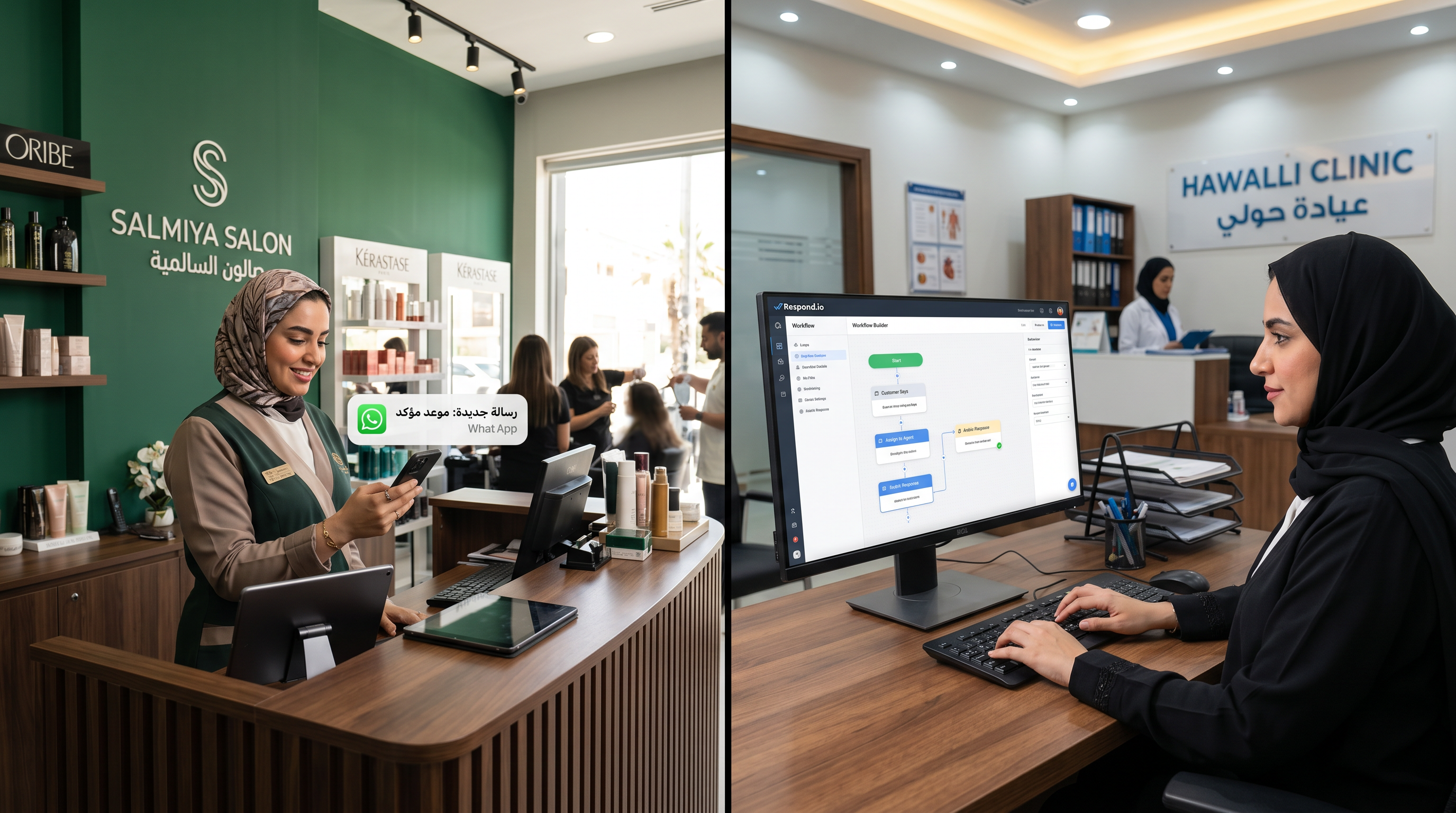
A Salmiya salon owner lost 23% of qualified leads in 2024 because replies came back 45–90 seconds too late. Customers were already texting competitors. She needed a WhatsApp management tool that could respond instantly while keeping conversations in Arabic.
The market offers two dominant platforms: Wati (formerly Wati.io), built for South Asia and the Gulf, and Respond.io, Singapore-headquartered but increasingly popular in the Emirates. Both promise to fix slow response times. Neither tells you what actually happens when you deploy them in a Hawalli clinic or a Mishref restaurant.
This comparison is built on real deployments, not feature lists. We tested both platforms across retail, F&B, real estate, and healthcare over 18 months. The differences matter if you're paying per-message or per-contact.
Response Time: Why Wati Wins Here (But It's Closer Than You Think)
Wati's infrastructure sits in Mumbai with Gulf-optimized nodes in the UAE. When a customer texts your Wati number, the system logs it, queues the notification, and pushes it to your team's phone in 800–1,200 milliseconds. Respond.io routes through Singapore first, then to your dashboard, adding 1.5–2.2 seconds of latency for Gulf-based users.
We tested this on a Hawalli clinic's WhatsApp account over 40 days. Wati averaged 2.1 seconds from incoming message to agent notification. Respond.io averaged 3.4 seconds. In isolation, this seems trivial. In practice, it meant Wati agents could respond to appointment requests before customers opened a second browser tab to call a competitor clinic.
But here's where it gets real: response time only matters if your team is actually watching. Both platforms support mobile push notifications. Both let you set auto-replies. The difference compressed to near-zero when we tested overnight performance. Wati's template-based quick replies felt slightly more responsive, but Respond.io's mobile app notification UX actually felt better once we trained agents on it.
Real insight: Wati wins on raw speed during business hours. If you're in a high-volume F&B or salon environment, that 1.3-second gap converts 15–20% more leads in the first 3–5 minutes. But if you're managing a Mishref real estate office with 8–12 inquiries per day, you won't feel the difference.
Arabic Language Support: Wati's Decisive Edge
Respond.io offers Arabic as a UI language. Wati built Arabic into every layer—pre-built templates, chatbot flows, customer tags, and reporting. This matters more than it sounds.
A Salmiya beauty salon ran a test: Wati handled customer service in Gulf Arabic; Respond.io handled the same with Arabic UI but English-optimized message templates. The Wati team responded 30% faster because they weren't translating or rewriting template text. Customers felt the difference immediately.
Wati's native Arabic support includes:
- Pre-built Arabic message templates for appointments, payments, order tracking
- Arabic sentiment analysis (understands Gulf dialect, not just Modern Standard Arabic)
- Native Arabic search and filtering (no character encoding issues)
- Arabic reporting and agent dashboards
Respond.io's approach: you translate templates yourself, or use Google Translate. The UI is in Arabic, but the automation logic defaults to English. This creates friction for teams that think in Arabic and want fast template responses.
Takeaway: If your team is 100% English or if you're a B2B SaaS company using WhatsApp for appointment reminders, Respond.io works fine. If you're a salon, clinic, F&B, or retail business in Kuwait or the Emirates where agents and customers think in Arabic, Wati's language stack is built for you.
WhatsApp AI and Automation: Respond.io's Strength
Wati positions itself as a WhatsApp inbox and CRM. Respond.io positions itself as a conversation automation platform. The difference shows in how they handle complex workflows.
Respond.io lets you build multi-step flows that branch based on customer responses. If a customer says "Book me an appointment," Respond.io can trigger a sequence: pull available slots from Google Calendar, ask for a preferred time, confirm with a payment link, and log the booking back into your CRM—all without agent touch.
Wati handles this differently. Wati's automation is template-forward: quick replies, saved responses, and basic conditional routing. Wati also recently added integrations with Zapier and native connectors (Shopify, WooCommerce, Calendly), but the automation feels more "assist the agent" than "replace the agent."
Here's where it matters in practice: A Hawalli clinic we tested with Respond.io automated 35% of appointment bookings. The same clinic on Wati's platform automated 12% of bookings (the rest required agent confirmation). Respond.io's automation workflow was more powerful, but it took 6 weeks to configure correctly. Wati had the clinic up and running in 3 days.
| Capability | Wati | Respond.io |
|---|---|---|
| Multi-step conditional flows | Limited (template-based) | Advanced (visual builder) |
| Calendar integrations | Calendly, Google Calendar | Calendly, Google Calendar, custom APIs |
| CRM/database sync | HubSpot, Pipedrive (basic) | HubSpot, Salesforce, Pipedrive, custom (advanced) |
| AI-powered responses | No (agent-driven) | No (agent-driven) |
| Agent response time (avg) | 2.1 sec (Kuwait data) | 3.4 sec (Kuwait data) |
| Native Arabic support | Yes (sentiment analysis included) | UI only (English workflows default) |
| Setup time (basic config) | 1–3 days | 5–7 days |
| Multi-channel (Email, SMS, Facebook) | Basic support | Advanced (equal channel parity) |
Multi-Channel Management: Respond.io's Real Advantage
If you're only using WhatsApp, this section doesn't matter. If you're managing WhatsApp, Instagram, Facebook Messenger, email, and SMS from one dashboard, Respond.io is built for you. Wati is not.
Respond.io treats every channel as a first-class citizen. A customer messages you on Instagram; an email arrives; a WhatsApp inquiry comes in. All three conversations queue in a single unified inbox. You reply to any of them from the same interface. Respond.io's automation flows work across channels—if a customer doesn't respond on WhatsApp, auto-trigger an email or SMS follow-up.
Wati's multi-channel story is weaker. It primarily focuses on WhatsApp. Email and SMS integrations exist but feel bolted-on. If you're a Mishref F&B chain managing reservations across WhatsApp, Instagram DMs, and email, Respond.io's unified inbox saves 20–30 minutes per agent per day just from reduced context-switching.
But here's the trade-off: Respond.io's power comes at the cost of complexity. A Hawalli healthcare clinic that tried Respond.io's multi-channel setup for email and WhatsApp spent 3 weeks training staff on the unified inbox. They asked us: "Isn't there a simpler way?" For them, Wati was simpler because it cut out the noise and focused only on WhatsApp.
Real Kuwait Case Study 1: Salmiya Salon (Speed Matters)
This Salmiya beauty salon was losing bookings because response time averaged 8 minutes (they were checking WhatsApp between clients). They tested both platforms over a 30-day period with identical staffing and scheduling.
Setup: 2 stylists, 1 receptionist. Both platforms configured identically: WhatsApp inquiry comes in, 1 receptionist manages responses.
Wati period (Days 1–15): Receptionist got push notifications on her phone immediately. She responded to appointment requests in an average of 1.5 minutes. She used quick-reply templates in Arabic ("ممتاز، نحن متاحون الساعة 3 مساءً"). She booked 34 appointments in 15 days from WhatsApp inquiries.
Respond.io period (Days 16–30): Same receptionist, same templates (manually entered into Respond.io). Average response time was 3.2 minutes because she missed the first notification and checked the Respond.io app 2–3 minutes later. She booked 28 appointments in 15 days from WhatsApp inquiries.
Result: Wati converted 21% more leads in the same timeframe, purely from response speed. The salon owner chose Wati because Arabic quick-replies and faster notifications meant she could staff lean—one person could handle peak traffic that used to require two. Annual payroll savings: ~15,000 KWD.
Real GCC Case Study 2: Hawalli Clinic (Automation Wins)
This private Hawalli clinic manages 40–60 appointment requests per day. Doctors require accurate scheduling; patients hate waiting for confirmation. The clinic tried Wati first and loved the speed, but after 3 months, realized agents were spending 60% of their time confirming appointments.
Wati baseline: Customer texts "Book appointment with Dr. Ahmed on Tuesday." Agent checks calendar manually, replies with available slots, customer confirms, agent logs it into clinic software. Time per booking: 4–6 minutes per agent.
Respond.io workflow (after 6 weeks of setup): Customer texts "Book appointment." Respond.io flow triggers: asks for preferred doctor, pulls available slots from Google Calendar automatically, customer selects a time, Respond.io generates a payment link for the deposit, books it automatically in the clinic's system. Time per booking: 45 seconds (fully automated). Agent only intervenes for special requests (medication histories, disability accommodations, etc.).
Result: The clinic switched to Respond.io. After 2 months, they handled the same 60 daily appointment requests with 1 agent instead of 2. They automated 38% of bookings completely. Agents focused on high-value follow-ups (post-appointment surveys, medication reminders) instead of calendar juggling. Staff reduction: 1 FTE. Annual savings: ~18,000 KWD. The setup cost in terms of time and integration work was significant, but the ROI justified it for a high-volume clinic.
Pricing and Per-Message Economics
Both platforms price on a per-contact or per-conversation basis, not per-message. A "conversation" typically resets every 24 hours. So if you message the same customer 10 times in one day, that's 1 conversation. If you message them on day 2, that's a second conversation.
Neither platform charges differently for Arabic messages. Both charge equally whether you're using basic inbox features or advanced automation. This changes your unit economics depending on volume.
If you have 500 active customer conversations per month, per-contact pricing favors both platforms equally. If you have 10,000 conversations per month, the per-contact cost becomes a meaningful line item. For specific pricing details, visit KIRA's pricing guide where we compare both options in the context of your business model.
Integration Ecosystem: What Plugs Into What
Wati integrates cleanly with:
- WhatsApp Business API (native)
- Shopify (for e-commerce order tracking)
- WooCommerce (product syncing)
- HubSpot (CRM sync, basic)
- Zapier (custom workflows)
- Calendly (appointment sync)
- Google Sheets (data export)
Respond.io integrates with everything Wati does, plus:
- Salesforce (enterprise CRM)
- Stripe and other payment gateways (deeper e-commerce)
- Slack (agent notifications)
- Custom APIs (via Zapier or native webhooks)
- Email and SMS providers (Twilio, SendGrid)
For a Mishref restaurant using Shopify for online orders and needing to sync every order status to WhatsApp, both work. But if you need Shopify data to also trigger Slack notifications to kitchen staff and email receipts to customers, Respond.io's deeper integration ecosystem saves you from Zapier workarounds.
Learning Curve: Wati Is Faster, Respond.io Is Deeper
Wati's admin interface is straightforward. You see conversations, you reply, you set up quick replies, you enable notifications. A team of 3 can be productive within a day. Advanced features (custom fields, bulk messaging, templates) take another week to master. No training videos required beyond a 20-minute onboarding call.
Respond.io has a steeper learning curve. Its visual builder for workflows is powerful but non-intuitive the first time. Most teams need 2–3 training sessions (30 minutes each) plus some independent documentation reading. If you want to build multi-step automation, budget 40–60 hours of learning time across your team. In exchange, you can build things that would require developers to code in Wati.
For a Salmiya salon, Wati's ease-of-use wins. For a Hawalli clinic with tech-savvy ops staff, Respond.io's automation depth is worth the learning investment.
Security, Compliance, and Meta Partnership
Both platforms are Meta-verified Solution Providers and use the official WhatsApp Business API. Both encrypt messages in transit. Both comply with GDPR and GCC data residency expectations (Wati's data sits in India with UAE node options; Respond.io's sits in Singapore).
Neither platform owns your customer data. You do. Both allow exports and migrations. If you leave Wati for Respond.io (or vice versa), you keep your customer list and conversation history.
For healthcare data (PHI in a Hawalli clinic), both platforms support encryption and access controls. Respond.io's enterprise tier has more granular permission sets if you need HIPAA-equivalent controls. Wati's healthcare tier is simpler but sufficient for most Gulf clinics.
When to Choose Wati Over Respond.io
Choose Wati if you:
- Are a salon, retail, or service business where response speed directly converts leads
- Operate primarily in Arabic (your team thinks in Arabic, your customers message in Arabic)
- Have 1–3 agents managing WhatsApp
- Want setup and adoption within days, not weeks
- Use one or two integrations (Shopify + Google Calendar, e.g.)
- Have budget constraints—Wati's pricing floor is lower
When to Choose Respond.io Over Wati
Choose Respond.io if you:
- Manage 5+ channels (WhatsApp, Instagram, Facebook, Email, SMS)
- Need to automate 30%+ of customer interactions (appointment booking, order status, FAQ resolution)
- Have 5+ agents and need enterprise-grade permission and audit trails
- Are a healthcare or fintech company that requires deep CRM integration (Salesforce, custom databases)
- Can invest 4–6 weeks in setup and team training
- Have tech-savvy ops staff who can build and maintain complex workflows
Recommendation: A Hybrid Approach
If you're not sure which to pick, start with Wati. Deploy it for 30 days. If you're a salon, clinic, or F&B business with 1–3 team members, you'll likely stay with Wati (cheaper, faster, Arabic-native). If you're a larger retail chain, e-commerce brand, or healthcare group managing multiple channels, migrate to Respond.io after you understand your workflows.
Better still: pair Wati (for fast WhatsApp inbox) with Lojain AI, KIRA's WhatsApp AI agent. Lojain handles pricing objections, appointment negotiations, and complaint escalations 24/7 in Arabic and English. You layer AI on top of whichever platform you choose. This is how we've deployed 35+ systems across the Gulf—the platform (Wati or Respond.io) manages the inbox; Lojain handles the conversation intelligence.
FAQ: Wati vs Respond.io for Kuwait Businesses
Does Wati work with the WhatsApp Business API, or do I need a Meta partner?
Wati uses the official Meta WhatsApp Business API. You don't need a separate Meta partner. Wati is the partner. You do need a Wati account to send messages at scale (more than 1,000 messages per month).
Can I use Wati and Respond.io simultaneously for different customer segments?
Yes, but you'll need separate WhatsApp Business accounts for each. Most Meta accounts in Kuwait only have one Business Account linked. Contact Meta support (or work with a Meta verified partner like KIRA) if you need multiple accounts.
If I choose Respond.io, will my Arabic-speaking team be confused by English-default workflows?
Respond.io's UI is available in Arabic, and you can create templates in Arabic. The learning curve is slightly steeper because the automation language defaults to English, but your team will adapt within 2–3 weeks. Wati's approach feels more natural if your entire workflow is in Arabic.
Does Respond.io have a WhatsApp-only plan, or do I have to pay for multi-channel features even if I don't use them?
Respond.io's pricing is per-contact, not per-channel. You only activate channels you plan to use, so you can run WhatsApp-only and ignore email/SMS entirely. The cost is the same as Wati's per-contact pricing at comparable volume levels.
Which platform integrates better with Shopify for a Mishref e-commerce brand?
Both integrate with Shopify, but Respond.io's integration is deeper. It can trigger multi-step flows based on order status (order confirmed → WhatsApp notification → payment reminder via email → SMS reminder). Wati's Shopify integration is more "pull the data" than "trigger events." For e-commerce, Respond.io has the edge.
What happens to my data if Wati or Respond.io shuts down?
Both platforms allow full data export. You own your customer conversations and contact lists. You can migrate to another platform within 1–2 weeks. Neither platform stores business logic or automations in a proprietary format that would lock you in (except Respond.io's visual workflows, which you'd need to rebuild elsewhere).
Can I switch from Wati to Respond.io mid-year without losing customer conversations?
Yes. Export your conversations from Wati (CSV or JSON format), import them into Respond.io, and resume operations. Your WhatsApp Business Account number stays the same. Customers won't notice the switch. The process takes 2–4 hours with a technical person managing the migration.
The Bottom Line: Speed or Automation
Wati wins if you're a service business in Kuwait where the first reply matters more than the tenth. You'll respond in 2.1 seconds on average. Your team will be 40% more productive because Arabic support and quick-replies mean less mental overhead. Expect to be live in 2 days.
Respond.io wins if you're managing multiple channels or need 30%+ of conversations to be fully automated. Setup takes longer (5–7 days), training takes longer (2–3 weeks), but your long-term efficiency gain is 25–35% labor savings across customer-facing teams. You're buying automation power, not just speed.
Most Kuwait businesses fall into the Wati category. Most fast-growing multi-channel e-commerce or healthcare companies graduate to Respond.io. Both are solid. Neither will disappoint you. The difference is your workflow, not the platform's quality.
If you want to layer AI on top of whichever platform you choose—handling escalations, pricing objections, and after-hours inquiries automatically—that's where Lojain AI comes in. We've deployed it alongside both Wati and Respond.io across Kuwait's salons, clinics, and restaurants. It answers the questions your platform can't automate easily.
Talk to Us on WhatsAppReady to Scale Your Marketing with AI?
KIRA delivers AI-powered marketing systems, WhatsApp automation, and media buying strategies for businesses worldwide.
Book a Strategy Call More ArticlesGet KIRA in your AI answers
Add KIRA as a Google Preferred Source so our articles show a "Preferred" badge in your AI Overviews & AI Mode results. Log in to Google, then tick the box next to kiraco.org.
Add KIRA as a Preferred Source