Quick Answer: WhatsApp AI agents use natural language understanding to read customer messages in real time, generate contextually relevant responses, and handle conversations in multiple languages through the WhatsApp Business API. Businesses deploy these agents to respond to pricing questions, complaints, follow-ups and scheduling requests instantly, 24/7.
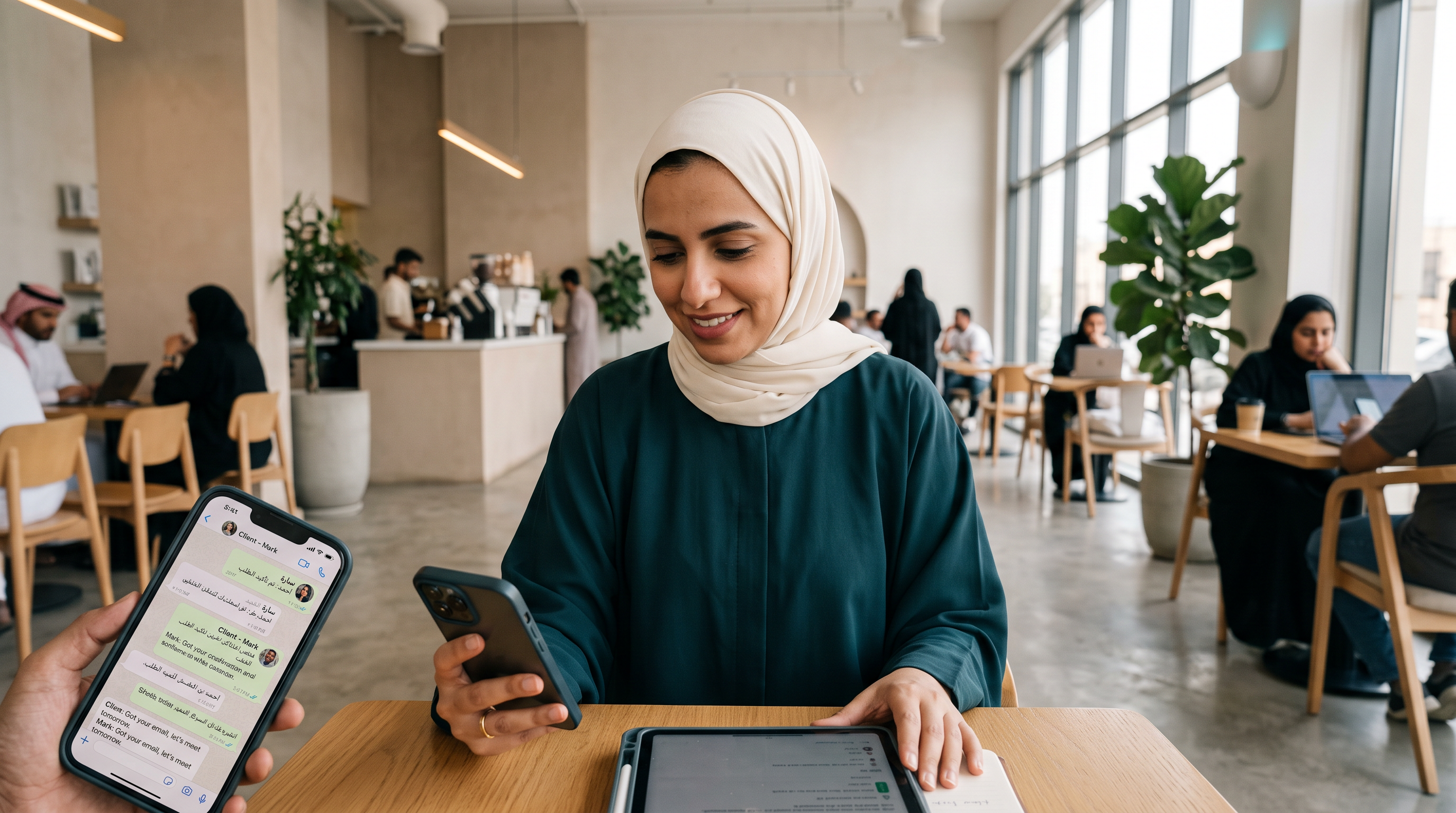
Most businesses using WhatsApp for customer communication face a bottleneck at scale. A salon receives 50 booking inquiries in a single hour across WhatsApp. Your team can respond to three. A clinic's patient sends a reminder request at 11 p.m. No human sees it until morning. An F&B chain gets order status questions while staff handles in-store transactions.
WhatsApp AI removes that friction. These agents work on the WhatsApp Business API—Meta's official infrastructure for business messaging—and they understand customer intent in natural language. They recognize when someone is negotiating price, lodging a complaint, or requesting a booking. They respond with relevant information, route complex cases to humans, and work in Arabic and English simultaneously.
This article explains how WhatsApp AI actually works, the implementation pathway for your business, the costs involved, and the mistakes teams make when setting it up.
What Is a WhatsApp AI Agent
A WhatsApp AI agent is software that reads incoming messages, understands their meaning, and generates responses that sound human and make sense in context. It is not a bot that responds with pre-written scripts or keyword matches. A bot asks "Did you mean A, B, or C?" An AI agent reads "Is there a discount if I book three sessions?" and recognizes a pricing objection, then retrieves your actual pricing rules and generates a natural response.
The distinction matters for customer experience. A bot forces users into a rigid flow. An AI agent handles the conversation as it unfolds. This is why Lojain AI, KIRA's WhatsApp AI agent, handles pricing objections, negotiations, complaints, follow-ups and escalations without scripting.
The agent runs on the WhatsApp Business API, which is Meta's official infrastructure for business messaging. This is not the same as the WhatsApp consumer app. The Business API gives you a dedicated pipeline, message delivery guarantees, and access to webhooks that trigger your agent when a message arrives.
An AI agent understands human language as written. It processes messages in Arabic and English natively, so a customer who mixes languages—"Is this الخدمة available tomorrow?"—is understood without translation errors.
How WhatsApp AI Understands What Customers Actually Want
When a customer sends a message, the AI agent receives it as raw text through the WhatsApp Business API. The agent does not simply match keywords. It reads the full context.
A customer writes: "Do you have anything cheaper?" The agent reads this as a pricing objection and a request for options. A customer writes: "I've been waiting 30 minutes and still no status." The agent recognizes frustration and a demand for information. A customer writes: "Can you book me for Friday at 3 p.m.?" The agent identifies a booking intent and extracts the date and time.
This capability is called natural language understanding, or NLU. The agent maps each customer message to an intent—pricing question, complaint, booking request, follow-up—and extracts relevant data like dates, times, service names, and quantities.
The agent also reads context from your business data. It knows your service menu, your pricing, your availability, your policies on refunds and cancellations. When a customer asks "Do you do manicures?", the agent queries your service catalog and answers based on what is actually offered, not a guess. All of this happens in milliseconds. Brands using Lojain AI respond in under 3 seconds.
How WhatsApp AI Generates Responses in Real Time
After understanding the customer's intent, the agent generates a response. It does not pull from a template list. It constructs language that fits the context.
If a customer asks about availability, the agent queries your booking system via API integration, checks your calendar, and generates a response like "We have slots tomorrow at 10 a.m., 2 p.m., and 5 p.m. Which works best for you?" If a customer complains about a delayed refund, the agent reads the order status, looks up when the refund was initiated, and explains "Your refund was processed on October 2nd. It should appear in your account within 2–3 business days."
The response is written in the customer's language. If they message in Arabic, the agent replies in Arabic. If in English, the response is in English. This eliminates the friction of language switching.
The agent also knows when to escalate. If a customer threatens to dispute a charge, demands a refund outside your policy, or expresses anger repeatedly, the agent recognizes this is beyond its scope and routes the conversation to a human with full message history intact.
How WhatsApp AI Manages Multiple Conversations at Scale
A single AI agent runs across all incoming customer messages. When 40 people message simultaneously, the agent does not queue them or make customers wait. Each message is processed independently and concurrently.
The agent maintains separate conversation threads, so each customer's history is isolated. A customer's earlier message about a booking does not affect how the agent responds to another customer's question about warranty. Each thread carries its own context.
The agent also remembers. When a customer messages days later and says "I booked a session for Friday," the agent recalls the booking from the earlier conversation and knows exactly which service and time slot they requested. This continuity is possible because the agent stores the full conversation history indexed by customer contact.
This parallelization is why WhatsApp AI scales without adding headcount. A business with 100 daily customer messages and a business with 10,000 daily messages run the same agent, just with different frequency.
Integration With Your Existing Business Systems
WhatsApp AI only works when properly connected to your business infrastructure. The agent needs access to your booking system, your service menu, your pricing, your customer database, your payment records. This integration happens through APIs.
Your WhatsApp Business API account acts as the central hub. Messages flow into it. The AI agent sits behind the API and reads each message. The agent then fires requests to your systems—"Get the availability for October 6th", "Check the order history for this customer", "Record this booking." The responses come back and the agent incorporates them into its reply to the customer.
This is why implementation requires some technical setup. You need API documentation for your booking system. You need database queries for your pricing rules. You need a way to authenticate the agent's requests so it can read and write data without exposing your entire system.
Most WhatsApp AI providers, including KIRA as a Meta-verified Solution Provider, handle this integration on your behalf. You provide the credentials and system details once. The AI agent is configured to use those APIs without you managing each request manually.
Cost and Timeline for WhatsApp AI Implementation
The cost of WhatsApp AI typically includes three components: platform licensing, implementation, and integration work.
Platform licensing is usually a monthly subscription based on message volume or features. Small businesses often start with bundle packages that include the agent, the WhatsApp Business API account, and basic integrations. For specifics on KIRA's offerings, see Lojain Lite Bundle for SMBs or pricing details.
Implementation covers configuration. Your chosen provider sets up the agent to understand your business language—your service names, your policies, your typical customer questions. This typically takes 5–10 business days for straightforward businesses like salons or clinics.
Integration work covers connecting your systems. If your booking system has an API, this is usually 2–5 days. If you rely on manual spreadsheets, the provider may set up a simple database to pull from instead, which takes longer.
A restaurant owner typically has a working agent in 2 weeks. A large clinic with complex integrations might take 6 weeks. The difference is usually the complexity of your existing systems and the availability of technical staff on your side.
Common Mistakes With WhatsApp AI
Businesses often make predictable mistakes when deploying WhatsApp AI.
Mistake 1: Insufficient System Integration. The agent is trained on outdated pricing or incomplete service lists. Customers ask about a service that is no longer offered, and the agent confidently recommends it. Always keep your business data current and verify the agent's access to the source of truth.
Mistake 2: Poor Escalation Rules. The agent routes everything to humans, or escalates almost nothing. Set clear thresholds: escalate if sentiment is negative, if a customer explicitly asks for a human, or if a request is outside policy.
Mistake 3: Language Misalignment. The agent is trained only in English, but your customers message in Gulf Arabic. Configure bilingual support upfront. This is not an afterthought.
Mistake 4: No Fallback Plan. The agent goes offline or behaves unexpectedly. You have no protocol for manual handling. Before going live, document what happens if the agent fails: Do messages queue? Do they route to humans? Do you pause and diagnose?
Mistake 5: Unrealistic Expectations on Accuracy. No agent is 100% accurate. Prepare your team for occasional misunderstandings. Plan how to handle a wrong answer: Can a human quickly correct it in the conversation? Can customers easily request a human review?
Manual Response vs. WhatsApp AI: What Changes
| Aspect | Manual Handling | With WhatsApp AI Agent |
|---|---|---|
| Response time | 5 minutes to 24 hours | Under 3 seconds |
| Availability | Business hours only | 24/7 |
| Pricing inquiries | Team member looks up and replies | Agent checks pricing, replies instantly |
| Booking requests | Manual calendar check, back-and-forth | Agent checks availability, confirms booking |
| Complaints | Escalated to manager, multiple replies | Agent gathers context, routes if needed |
| Bilingual support | Requires bilingual staff | Built in; Arabic and English native |
| Cost per message | High (staff time) | Fixed monthly subscription |
How to Set Up WhatsApp AI in 7 Steps
- Audit your current WhatsApp workflow. Document the kinds of messages you receive: booking requests, pricing questions, complaints, order updates. Count how many come daily. Identify which ones a human handles multiple times identically—these are prime targets for automation.
- Choose a WhatsApp AI provider. Verify they are a Meta Solution Provider. Check they support your language requirements. Review case studies to confirm they work in your industry. Compare technical integrations they offer with your existing systems.
- Plan your integrations. List the systems the agent needs to access: booking calendar, pricing database, customer records, payment history, inventory. Confirm each system has an API or a way to be queried. Identify gaps—if you manage everything on paper, you will need to digitize first.
- Set up your WhatsApp Business API account. This is official Meta infrastructure. Your provider usually handles this, but confirm you retain control of your account and can migrate to another provider if needed.
- Train the agent on your business knowledge. Provide the agent with your service menu, pricing, policies, FAQs, and language. The provider loads this data. The agent uses it to generate contextually relevant responses instead of generic scripts.
- Test with real customer scenarios. Run the agent in pilot mode with a subset of customers. Have your team send real customer questions. Review the agent's responses for accuracy and tone. Adjust the training data or escalation rules based on failures.
- Go live with monitoring. Enable the agent on your full customer base, but keep human review active for the first week. Monitor escalation rate, response accuracy, and customer satisfaction. If issues emerge, pause and diagnose before expanding further.
How a Salon Uses WhatsApp AI for Booking Surges
A salon in the region receives 60–80 booking inquiries on WhatsApp during peak hours. Two staff members manage the account. Customers wait hours for a response. Some book elsewhere.
The salon deploys a WhatsApp AI agent connected to their booking software. The agent understands when a customer is asking "Do you have availability on Thursday?", queries the calendar, and responds "We have 2 p.m. and 5 p.m. available. Which service?"
Within two weeks, the agent handles 70% of booking requests without human intervention. Customers book instantly. Staff now review complex requests—custom packages, loyalty discounts, cancellations—instead of handling routine inquiries. The salon also receives after-hours messages. Previously these were lost until morning. Now the agent responds immediately with confirmation and hours of operation. Morning follow-ups drop significantly because customers already have the information they need.
How a Clinic Uses WhatsApp AI for Patient Care
A clinic sends appointment reminders via WhatsApp. Many patients reply with questions: "What do I bring?", "Can I reschedule?", "Will this procedure hurt?" A nurse used to handle replies manually between consultations.
With a WhatsApp AI agent integrated to the clinic's patient records, reminders now include a note: "Reply with any questions." The agent answers pre-visit questions (what to bring, fasting requirements), reschedule requests (queries open slots), and common concerns (recovery time, pain management) based on the procedure type.
The agent escalates urgent issues—changes in medication, allergies, anxiety about the procedure—to the nurse. The nurse now spends time on complex conversations, not routine FAQs. Patient experience improves because someone responds to every message within minutes, not hours.
How a Restaurant Uses WhatsApp AI for Orders
A restaurant operates a delivery partnership and receives WhatsApp messages all day: "Where is my order?", "Do you have tables for 4?", "Is the grilled fish available today?", "Can you modify my order to remove onions?"
A WhatsApp AI agent is trained on the restaurant's menu, delivery tracking system, and reservation platform. Customers get instant status updates. Menu questions are answered with current availability. Simple modifications are processed without human review. Complex requests—large group reservations, dietary restrictions requiring chef approval, complaints about a past order—are routed to the manager.
Frequently Asked Questions
Q: Is WhatsApp AI the same as a WhatsApp chatbot?
A: No. A chatbot uses pre-written rules and keywords. WhatsApp AI understands natural language, learns context, and generates unique responses. Chatbots ask "Press 1 for booking, 2 for pricing." AI agents read "I want to book a service that's under 50 dinar" and understand both intent and constraint.
Q: Does the AI need to be trained on thousands of conversations?
A: No. A good AI agent learns from your business knowledge—your services, pricing, policies, FAQs—not from historical chats. Modern agents are trained in days, not months. You provide the data once, and the agent is ready to handle conversations it has never seen before.
Q: What happens if the AI makes a mistake?
A: The customer can ask for a human, and the conversation history is available to your team member instantly. Your team can also review and correct the agent's response in real time. The goal is not perfection, but speed and scale. Occasional errors are corrected faster than waiting hours for a human response.
Q: Can WhatsApp AI work in both Arabic and English?
A: Yes. A properly configured agent understands Arabic and English natively. Customers who mix languages or prefer one language over the other are understood without translation delay. This is especially important for Gulf markets where both languages are common.
Q: Will WhatsApp AI replace my team?
A: No. It reduces routine work—answering the same pricing question 20 times a day, checking availability, confirming bookings. Your team now handles escalations, complex requests, and customer problems that need judgment. You get faster response times and higher customer satisfaction with the same headcount.
Q: How long until I see results?
A: Response time improves immediately—the agent replies in seconds. Booking conversion and customer satisfaction typically improve within 2–4 weeks as the agent learns your typical questions and your team settles into the new workflow.
Q: Can I compare different WhatsApp AI solutions?
A: Yes. See comparison details and customer case studies to evaluate options suited to your business type.
Moving Forward
WhatsApp AI is infrastructure for businesses that communicate at scale via WhatsApp. The agent removes delays, handles multiple languages, and works 24/7. It is not a replacement for your team—it is a tool that makes your team more efficient.
If most of your customer inquiries come through WhatsApp, and you spend significant time on repetitive questions, an AI agent is a logical next step. The implementation is straightforward: connect your data, train the agent, test, and go live.
Talk to Us on WhatsAppReady to Scale Your Marketing with AI?
KIRA delivers AI-powered marketing systems, WhatsApp automation, and media buying strategies for businesses worldwide.
Book a Strategy Call More ArticlesGet KIRA in your AI answers
Add KIRA as a Google Preferred Source so our articles show a "Preferred" badge in your AI Overviews & AI Mode results. Log in to Google, then tick the box next to kiraco.org.
Add KIRA as a Preferred Source