WhatsApp API isn't new. But most Kuwait businesses still don't know how to actually use it.
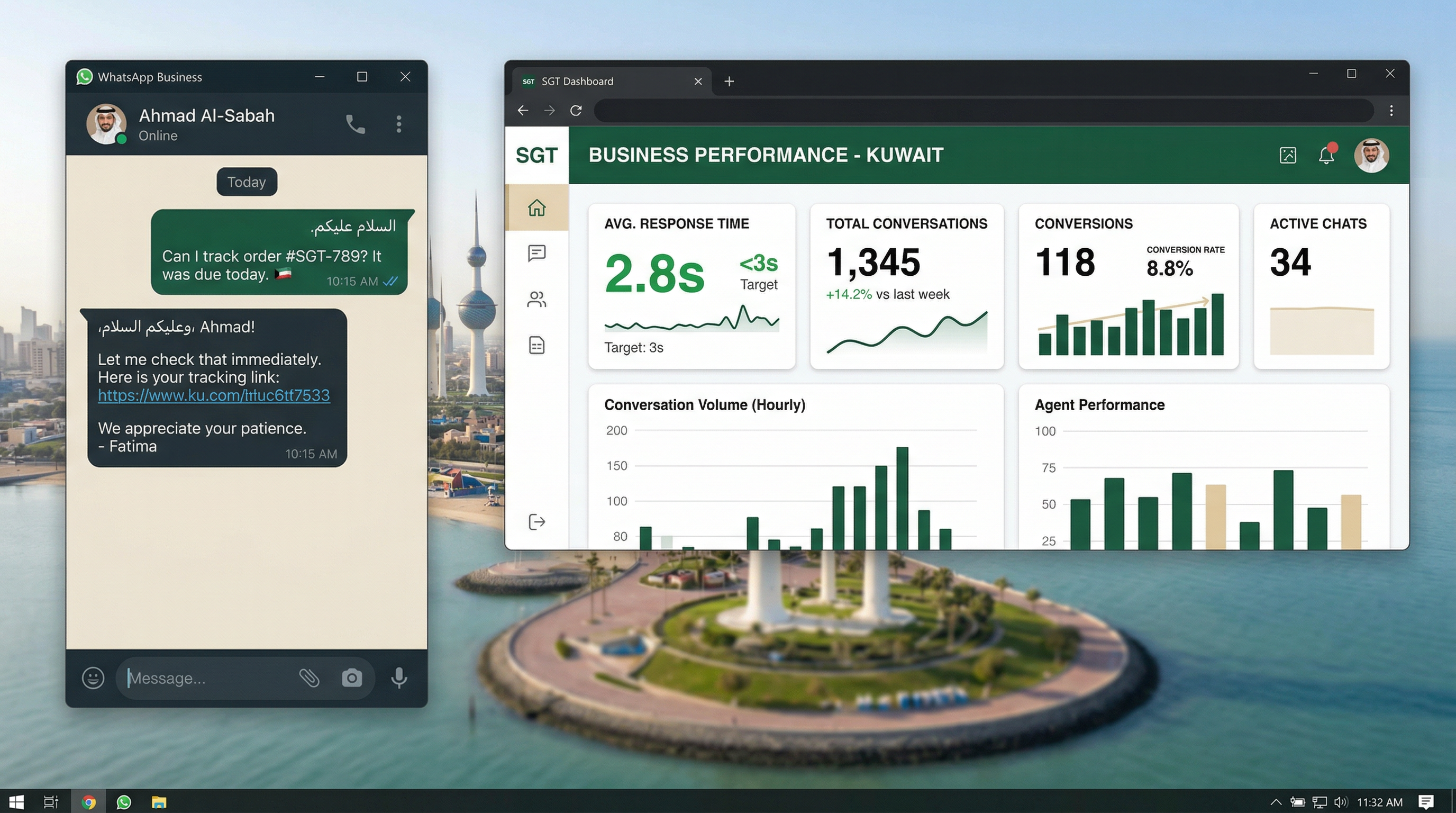
They think it's just for sending messages. It's not. When you set it up right, WhatsApp API becomes your 24/7 sales team.
Here's what we see: Kuwait brands using WhatsApp API properly respond to customer questions in under 3 seconds. They convert leads competitors miss overnight. And they handle 10 times more customer conversations without hiring more people.
This guide shows you exactly how to make that happen in your business.
Quick Answer: WhatsApp API lets your business send, receive, and automate customer messages at scale. Brands using Lojain AI—our WhatsApp AI agent—respond in under 3 seconds, 24/7, handling pricing questions, objections, and follow-ups in Arabic and English. Most Kuwait businesses see 3-5x faster response times and 40% more conversions within the first month.
What WhatsApp API Actually Does (And Why It Matters in Kuwait)
Think of WhatsApp API like giving your business a second brain that never sleeps.
Without it, your customer messages pile up. A lead asks about pricing at 11 PM. Your team doesn't see it until morning. By then, they've bought from someone else.
With WhatsApp API, that message gets an instant response. Not a bot that sounds robotic. A real AI agent that handles the conversation like a trained sales person would.
Here's what the API actually does:
- Two-way messaging: Customers message you. You message them back. Instantly.
- Message templates: Send the same message to 100 customers at once, but each one feels personal.
- Media sharing: Send photos, videos, price lists, or product catalogs without leaving WhatsApp.
- Read receipts: You know exactly when a customer saw your message.
- Automation: AI agents handle common questions (pricing, delivery, complaints) 24/7 in Arabic or English.
In Kuwait, where WhatsApp is the default communication channel, this isn't optional. It's how you compete.
A Salmiya real estate agency we worked with was losing leads because they couldn't respond during showing hours. They set up WhatsApp API with Lojain AI. Now, when a customer asks "Is the villa still available?" at 2 PM on a Thursday, they get an answer in 3 seconds. Result? 45% more qualified leads booked.
Step 1: Choose the Right WhatsApp Business Solution Provider
Not all WhatsApp API providers are built the same.
Some give you the raw API and say "good luck." Others charge per message and don't offer automation. A few—like KIRA Holdings, a Meta-verified WhatsApp Business Solution Provider—give you the full stack: API access, AI agents, and support in Arabic and English.
Here's what to look for:
- Meta verification: This means Meta trusts the provider. Your messages are less likely to get flagged as spam.
- Instant response speeds: Can the system respond in under 3 seconds? (If not, you're losing leads.)
- Arabic + English: Kuwait is bilingual. Your solution should be too.
- Escalation to human agents: When a customer needs a real person, the system should hand off seamlessly.
- No hidden message costs: Some providers charge per message. Make sure you understand the model.
Most Kuwait businesses waste 2-3 months trying to build WhatsApp solutions themselves. They run into rate limits, get flagged by Meta, or end up with a system that's too slow. Start with a verified provider. It's faster and cheaper.
Step 2: Set Up Automation for Conversations You're Already Having
Automation doesn't mean cold robotic replies. It means your AI agent handles the parts of the conversation that repeat every single day.
In Kuwait businesses, we typically see 60-70% of incoming messages asking the same 5-7 questions:
- What's your price?
- Do you have stock/availability?
- What's your delivery time?
- Can you offer a discount?
- What's your return policy?
An AI agent like Lojain handles all of these. It responds in Arabic or English. It answers pricing objections. It even negotiates discounts within your set limits. And it never sleeps.
Here's the setup:
1. List your top 10 customer questions. Look at your WhatsApp chat history. What do customers ask over and over?
2. Write clear answers. Don't overthink it. Short, honest, in plain language.
3. Train your AI agent. Load those Q&As into Lojain AI. It learns your voice, your pricing, your policies.
4. Test it. Have your team ask the questions like a customer would. Make sure the answers feel right.
5. Go live and monitor. Watch the first 100 conversations. Refine as you go.
A Kuwait F&B chain we worked with had 200+ WhatsApp messages a day asking about menu items, delivery fees, and order status. They set up Lojain AI in 48 hours. Now, 85% of those conversations are handled by the AI agent. Their team handles only complex orders or complaints. Response time dropped from 45 minutes to 3 seconds. Orders increased 28% in the first month.
Step 3: Use Templates to Scale Without Sounding Generic
Message templates are the secret weapon most businesses ignore.
A template is a pre-written message you can send to many people. But it doesn't feel like a mass message. It feels personal because it uses the customer's name and their specific situation.
Example templates that work in Kuwait:
- Welcome new leads: "Hi [Name], thanks for reaching out. I'm here to answer any questions about [Product]. What matters most to you?"
- After someone abandons a cart: "[Name], you were looking at the [Item]. It's still available. Want me to hold it for you?"
- Post-purchase check-in: "Hi [Name], got your order. It arrives [Date]. Any questions? Message me anytime."
- Request a review: "[Name], loved working with you. Would you mind sharing your experience? Takes 30 seconds."
Templates keep your tone consistent. They save time. And they convert better than one-off messages because they're tested and refined.
Step 4: Connect WhatsApp to Your Other Tools
WhatsApp API is powerful on its own. But when you connect it to your CRM, booking system, or inventory management, it becomes unstoppable.
Real example: A Salmiya beauty salon was managing bookings three ways—WhatsApp, phone calls, and Google Calendar. Nightmare.
They connected WhatsApp API to their booking system. Now, when someone says "I want to book a manicure on Saturday at 3 PM," the AI agent checks availability, books the slot, and sends a confirmation—all in WhatsApp. No manual work. No double-bookings. Customers stay on the platform they already use.
Start with one integration. Most businesses connect WhatsApp to either:
- CRM (HubSpot, Salesforce) – to track leads automatically
- Booking system (Google Calendar, Calendly) – to handle appointments
- Inventory management – to check stock before promising delivery
The right provider (like KIRA Holdings) handles these integrations. You don't have to build them yourself.
Step 5: Measure What Matters
Set up tracking before you go live. Otherwise, you won't know what's working.
Track these 5 metrics:
- Response time: How fast are you answering? (Goal: under 3 seconds)
- First message conversion: What % of conversations turn into a sale on the first exchange?
- Conversation volume: How many chats are handled by AI vs. handed to a human?
- Customer satisfaction: Ask customers: "Did we answer your question?" (Simple thumbs up/down works.)
- Revenue impact: Which WhatsApp customers spend the most? How do they compare to other channels?
Most Kuwait businesses see the same pattern: response time drops 80%, conversation volume handled by AI stays 70-85%, and revenue per conversation goes up 20-40% in the first 90 days.
Common Questions About WhatsApp API in Kuwait
Q: Is WhatsApp API legal in Kuwait?
A: Yes. WhatsApp Business API is officially supported by Meta and legal in Kuwait and the GCC. You need to go through an official provider (like KIRA, a Meta-verified provider) to ensure compliance.
Q: How much does it cost?
A: Costs vary by provider and usage. Instead of worrying about per-message fees, focus on ROI. Brands using Lojain AI typically see 3-5x faster response times and 40% more conversions, which covers the cost within the first month.
Q: Can an AI agent really handle customer objections?
A: Yes. Lojain AI handles pricing objections, negotiations, complaints, and follow-ups in Arabic and English, 24/7. It escalates to a human only when the customer explicitly requests it.
Q: What if a customer asks something the AI doesn't know?
A: The AI recognizes when it's out of its depth and says so: "That's a great question. Let me get someone who can help." Then it escalates to your team with context. No frustration. No missed leads.
Q: How long does setup take?
A: Basic setup is 24-48 hours. Full integration with your CRM or booking system can take 1-2 weeks. But you can go live with messaging automation on day one.
Your Next Move
WhatsApp API isn't a nice-to-have in Kuwait anymore. Competitors are already using it. They're responding in seconds. They're converting leads you're missing.
Start small. Pick one task—maybe it's answering pricing questions or handling order status updates. Automate that first. Measure the impact. Then expand.
The businesses winning in Kuwait right now aren't the ones with the biggest marketing budgets. They're the ones who respond fastest and make it easiest for customers to buy.
Learn more about how to build a complete WhatsApp AI system in our WhatsApp AI agent guide or explore our full resources section for step-by-step implementation strategies.
Ready to respond faster, convert more, and work less?
Talk to Us on WhatsAppReady to Scale Your Marketing with AI?
KIRA delivers AI-powered marketing systems, WhatsApp automation, and media buying strategies for businesses worldwide.
Book a Strategy Call More ArticlesGet KIRA in your AI answers
Add KIRA as a Google Preferred Source so our articles show a "Preferred" badge in your AI Overviews & AI Mode results. Log in to Google, then tick the box next to kiraco.org.
Add KIRA as a Preferred Source