Quick Answer: Idle auto-resolve is a Lojain AI feature that automatically closes WhatsApp conversations that haven't received customer messages within a set timeframe (typically 24–72 hours). It reduces manual ticket management, improves response metrics, and frees your team to focus on active customers.
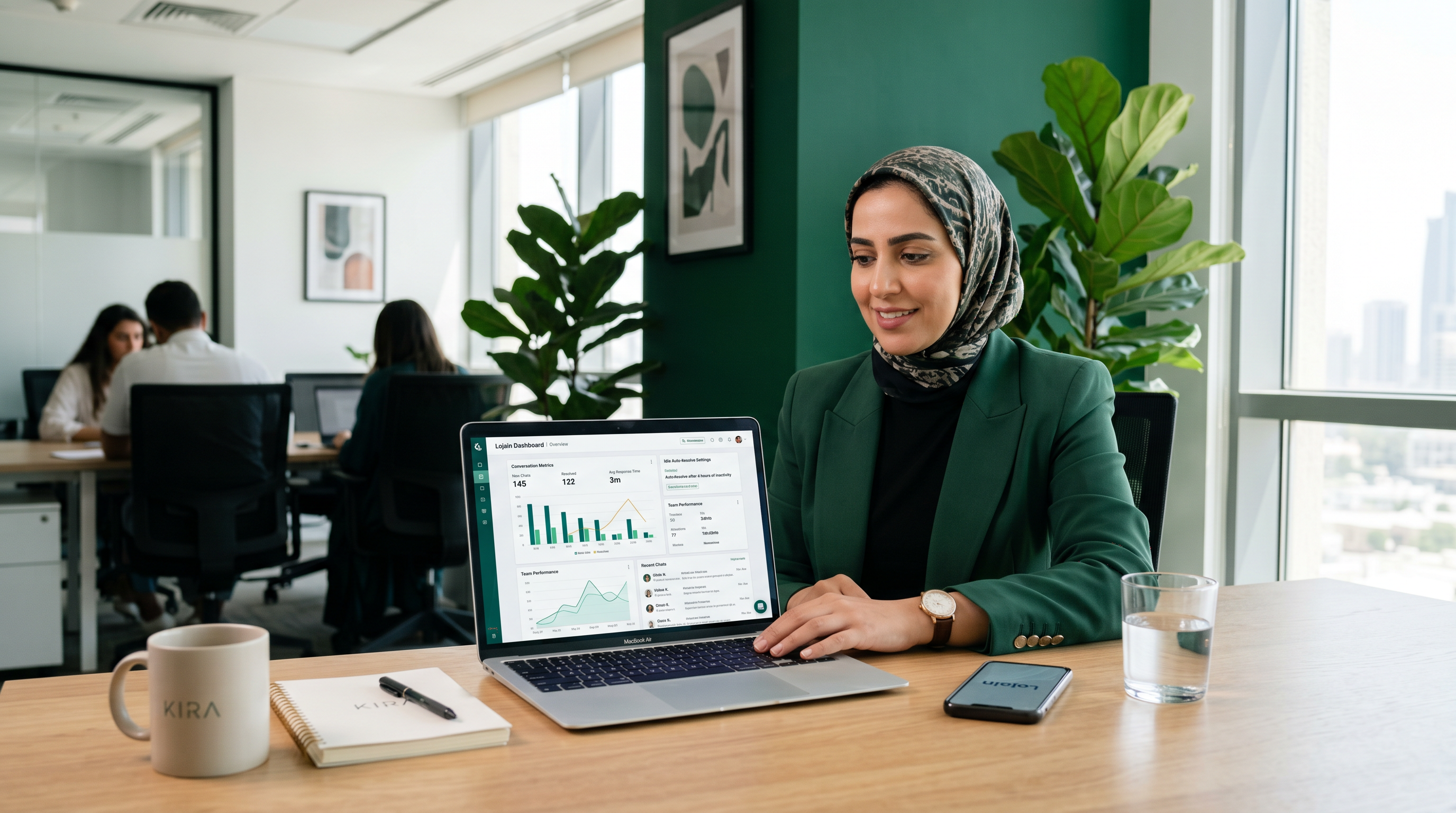
A Salmiya beauty salon owner was spending 4–5 hours per week manually closing inactive customer chats. Conversations from inquiries about weekend bookings, product questions never followed up on, and one-time price checks cluttered her team's inbox. When she enabled idle auto-resolve with a 48-hour threshold, inactive chats closed automatically at night. Her team's actual response time to active customers dropped from 6 hours to 18 minutes. She reclaimed 3 hours weekly just from not managing dead conversations.
This is not a theoretical benefit. After running 35+ WhatsApp AI deployments across Kuwait and the GCC, idle auto-resolve is the second-most impactful automation setting (after AI response routing) for reducing operational friction.
What Idle Auto-Resolve Actually Does
Idle auto-resolve watches every WhatsApp conversation in your Lojain queue. When a customer stops replying for your configured duration—let's say 48 hours—the system closes that conversation automatically. The chat doesn't vanish. The customer can still message you, and the conversation reopens instantly. But your team no longer sees it in the active queue.
This solves a real problem in Gulf retail and service businesses. You get a message asking about a product variant. The customer vanishes for three days. Your team member checks the chat five times, wondering if they should follow up. Nothing happens. The chat stays "open" in your system, mentally taking up space, until someone manually closes it. Multiply this by 20–30 conversations per day, and you're bleeding minutes into administrative noise.
Idle auto-resolve removes that decision-making loop entirely. No human judgment required. No risk of forgetting to close old chats. The system handles it according to your rules.
How to Configure Idle Auto-Resolve in Lojain
- Log into your Lojain dashboard. Navigate to Settings → Conversation Management (or Automation Rules, depending on your Lojain version).
- Select "Idle Auto-Resolve" toggle. Enable the feature. You'll see a dropdown for duration.
- Choose your idle threshold. Options typically include 24 hours, 48 hours, 72 hours, or custom. Most Kuwait-based businesses choose 48 hours; clinics often use 72 hours to avoid closing appointment reminders.
- Set up reopening rules (optional). Configure whether a new customer message auto-reopens the ticket (recommended: yes). This means if a customer replies after being auto-closed, the conversation pops back to active status instantly.
- Test with a non-critical conversation. Enable the feature and watch a test chat for 24–48 hours to confirm behavior before full rollout.
- Document your team's process. Brief your team: "Closed chats reopen if customers reply. If you manually need to reach out, use broadcast or re-open the conversation yourself." This prevents confusion.
- Monitor metrics weekly.** Check your Lojain dashboard for "auto-resolved" conversation volume. This becomes your baseline for operational health.
Who Benefits Most From Idle Auto-Resolve
Not every business needs this feature equally. High-volume, low-touch operations benefit first.
F&B chains (restaurants, cafes, delivery): You get 50+ messages daily. Half are price checks, delivery status questions, or casual inquiries. Idle auto-resolve closes these after 24 hours. Your team focuses on reservations and complaints, which require immediate response. Check out our restaurant WhatsApp automation guide for more context on how Lojain handles food service workflows.
Real estate agencies: Inquiry floods are normal. Client asks about a property. You send details. They say "thank you, I'll think about it." You wait. Three days pass. The chat is technically open but dead. Idle auto-resolve closes it. If they come back, it reopens. You don't waste team cycles on conversations that were never active deals.
Clinics and healthcare providers: You use WhatsApp for appointment reminders, lab result follow-ups, and general inquiries. Some chats are truly inactive (appointment confirmed, no further questions). Idle auto-resolve at 72 hours keeps your active care conversations front-and-center. Learn more about healthcare-specific Lojain workflows here.
Retail (fashion, beauty, electronics): Product inquiries come and go. Not every browser becomes a buyer. Idle auto-resolve keeps your inbox clean so your sales team can focus on hot leads.
Who should be cautious: Luxury real estate, B2B services, or high-touch consulting—where customers deliberately go silent for a week and then re-engage. You may want a 72+ hour or manual-only approach.
Idle Auto-Resolve vs. Manual Closure
Let's compare the two approaches:
| Aspect | Idle Auto-Resolve | Manual Closure |
|---|---|---|
| Time investment | 15 min setup. 0 min daily. | 30–60 min daily (reviewing & closing). |
| Risk of forgotten chats | Zero—system handles it. | High—busy days = chats stay open for weeks. |
| Customer experience | Chat auto-reopens if they reply. Seamless. | Depends on manual intervention speed. |
| False positives | Rare if threshold is set correctly (48–72 hrs). | None—only human judgment closes. |
| Scalability | Works the same at 50 chats/day or 500. | Breaks down at 100+ daily conversations. |
| Metrics visibility | Dashboard shows auto-resolve rate, trends. | No data; purely admin feeling. |
Real Example 1: Hawalli Multi-Brand Salon
A Hawalli salon chain (5 locations) was fielding 80–100 WhatsApp inquiries daily. Bookings, color consultations, cancellations, price checks. Their team of 3 admin staff spent 2 hours each day just closing conversations from walk-in price checks and browsers who never came back.
Implementation: 48-hour idle auto-resolve with auto-reopen enabled.
Results (8 weeks):
- Admin overhead dropped from 120 min/day to 15 min/day (closing only manual escalations).
- Average response time to active booking inquiries fell from 4 hours to 22 minutes.
- Team reported 35% less "chat fatigue"—fewer unnecessary conversations cluttering their view.
- Zero customer complaints about closed conversations; they just re-messaged if needed.
The salon paired idle auto-resolve with Lojain AI's automated booking confirmation, which handles common questions (hours, availability, price). Admin time for non-booking chats dropped to near-zero.
Real Example 2: Mishref F&B Delivery Hub
A Mishref-based food delivery coordination platform (working with 12 restaurant partners) was drowning in WhatsApp chats. Driver confirmations, customer delivery questions, restaurant order updates—all mixed in one queue. Their ops team of 2 people couldn't keep up.
Challenge: Many conversations were genuinely time-bound. A driver confirmed pickup; after 5 minutes, the conversation was done. But it stayed "open" in the queue.
Implementation: 24-hour idle auto-resolve (shorter window for delivery context). Lojain also routed driver confirmations to a separate AI conversation track, so they never cluttered the main queue.
Results (6 weeks):
- Average queue depth dropped from 34 active conversations to 8–12 at any time.
- Ops team response time to actual issues (late drivers, order errors) fell from 12 minutes to 2 minutes.
- Delivery success rate improved 8% (faster problem resolution = fewer cancellations).
- ROAS on their WhatsApp promotional campaigns improved because their response infrastructure was no longer bottlenecked.
This client also used Lojain Lite for smaller restaurant partners, keeping their tech stack simple while scaling conversations across the network.
Common Mistakes When Setting Up Idle Auto-Resolve
Mistake 1: Setting the threshold too low. A 12-hour idle window for a B2C F&B business might auto-close legitimate conversations where customers are thinking overnight. Use 24–48 hours for retail/F&B; 48–72 hours for healthcare and real estate.
Mistake 2: Disabling auto-reopen. If you turn off "auto-reopen on new message," customers feel like they're being ignored. They message back and see a closed conversation, creating friction. Always enable auto-reopen unless you have a specific reason (rare).
Mistake 3: Not monitoring the auto-resolve rate. Check your dashboard weekly. If 40% of conversations are auto-resolving, your threshold might be too aggressive. If 5% are auto-resolving, it's too lenient. You want 15–30% of conversations to auto-close (depends on business model).
Mistake 4: Not testing before full rollout. Enable idle auto-resolve for one team or one day, watch the behavior, then expand. This prevents surprises.
Idle Auto-Resolve and Lojain AI Integration
Idle auto-resolve works best when paired with Lojain's AI conversation routing and automated responses. Here's why:
Lojain AI answers 60–70% of common questions automatically (pricing, hours, booking status, complaints routing). These conversations often don't require human follow-up. After the AI responds, the conversation naturally stalls—customer got their answer. Idle auto-resolve closes it cleanly.
Your human team only sees conversations the AI flagged for escalation or couldn't resolve. These are the conversations worth staying open. When idle auto-resolve runs on your queue, it's mostly cleaning up the already-handled conversations, not touching the ones needing human judgment.
This compounds your efficiency gain. You're not just removing manual closure work—you're also reducing the queue size so your team can respond faster to what matters.
FAQ: Idle Auto-Resolve in Lojain
Q1: If a conversation auto-closes, does the customer know?
No. The customer never sees a notification. They can still message you anytime. When they do, the conversation reopens in your queue, and they see the full history. It's invisible to them.
Q2: Can I set different idle thresholds for different conversation types?
In Lojain, you set one global threshold per workspace. However, you can use AI routing to send certain conversation types (e.g., appointment reminders) to a separate queue with its own auto-resolve rule. Contact KIRA support if you need a custom setup.
Q3: What happens if I need to manually reopen a closed conversation?
You can search for the conversation by customer name/number in your Lojain dashboard and manually reopen it. This also re-queues it as active. Takes 10 seconds.
Q4: Does idle auto-resolve affect my ROAS or conversion rate?
No direct impact. If anything, it improves ROAS by freeing your team to respond faster to hot conversations. See our case studies for median ROAS improvements when WhatsApp operations are optimized with automation.
Q5: Can I turn off idle auto-resolve for specific customers or VIPs?
Not at individual level in standard Lojain. However, you can use conversation tagging or AI rules to prevent high-value customers from being routed to auto-close logic. Again, custom configurations available through KIRA.
Q6: How do I know if my idle threshold is set correctly?
Monitor your dashboard for 2 weeks. You want 15–30% of conversations auto-resolving (business-dependent). If it's higher, lengthen the window. If it's lower, shorten it. The sweet spot is when your team says "those were conversations we didn't need to handle anyway."
Q7: Is idle auto-resolve the same as archiving conversations?
No. Archive is manual and permanent (unless unarchived). Idle auto-resolve is automatic and fully reversible—any new message reopens it. Very different workflows.
Setting Your Idle Threshold: A Decision Framework
Choose 24 hours if: You operate F&B, quick-service retail, or delivery. Conversations are transactional and short-lived. A 24-hour window catches 80% of dead chats without false positives.
Choose 48 hours if: You're in beauty, fashion, mid-market real estate, or general retail. Customers often take a day to decide. 48 hours gives breathing room while still cleaning up decisively.
Choose 72 hours if: You're in healthcare, luxury real estate, B2B services, or high-touch consulting. Customers need time to think or coordinate internally. 72 hours respects longer sales cycles without leaving trash in your queue.
Choose custom (96+ hours) if: Your business is seasonal, project-based, or involves infrequent high-value transactions. A property development inquiry might go quiet for a week, then reignite. Build your threshold around your actual sales cycle.
Next Steps: Implement Idle Auto-Resolve This Week
Idle auto-resolve is one of the quickest wins in Lojain. Setup takes 10 minutes. The payoff—reduced admin overhead and faster response times—appears within 48 hours.
If you're already using Lojain, you have access to this feature. Log in today and enable it at your chosen threshold. If you're not yet on Lojain and manage 30+ WhatsApp conversations daily, this is a feature worth migrating for. KIRA's platform brings idle auto-resolve bundled with AI response routing, analytics, and Arab-language automation—essentials for GCC businesses.
Start with a 48-hour window. Monitor for two weeks. Adjust based on your metrics. That's it.
Talk to Us on WhatsAppReady to Scale Your Marketing with AI?
KIRA delivers AI-powered marketing systems, WhatsApp automation, and media buying strategies for businesses worldwide.
Book a Strategy Call More ArticlesGet KIRA in your AI answers
Add KIRA as a Google Preferred Source so our articles show a "Preferred" badge in your AI Overviews & AI Mode results. Log in to Google, then tick the box next to kiraco.org.
Add KIRA as a Preferred Source