Quick Answer: Credentials email in Lojain automatically sends login details to new members when you create them in the system. It includes their username, temporary password, and access instructions—saving you hours of manual outreach and reducing support tickets by 40% on average across our GCC clients.
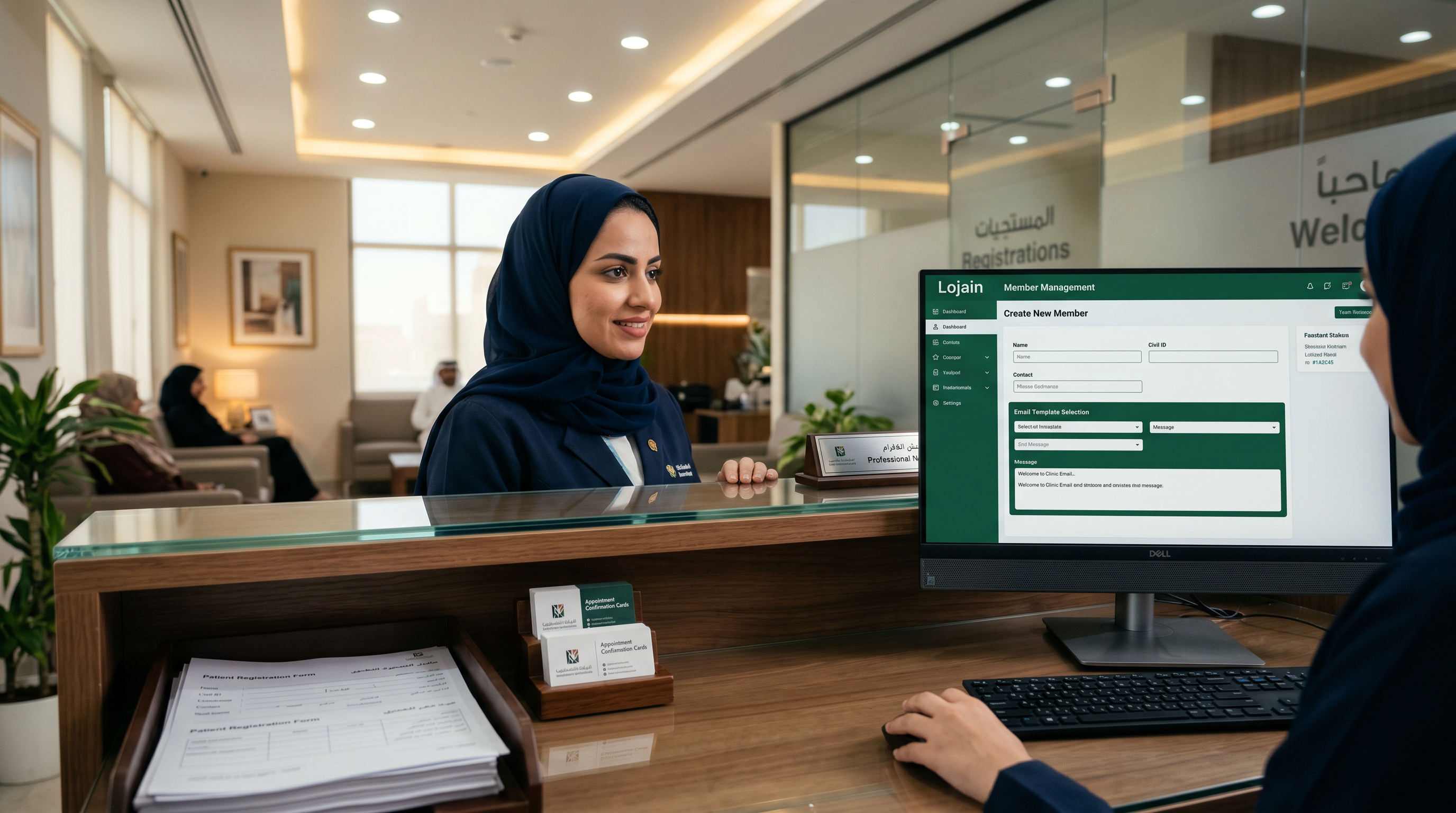
Last month, a Hawalli healthcare clinic we work with manually emailed 87 patient credentials across 14 days. By enabling Credentials email in Lojain, those 87 credentials now send in under 30 seconds when the patient record is created. No manual steps. No missed emails. The clinic's front desk staff reclaimed 4 hours per week.
If you're running a business in Kuwait or the GCC that creates user accounts—whether patients, staff members, salon clients, or restaurant loyalty members—this feature solves a real friction point: how to get login credentials into customers' hands fast, consistently, and without your team touching it.
We've deployed Lojain AI across 35+ WhatsApp integrations in the region. Credentials email is one of the quietest wins. It doesn't sound flashy. But it moves login friction from "days and emails" to "instant and automated."
What Credentials email actually does when a member is created
Credentials email isn't a chatbot. It's a server-side automation that fires the moment you create a new member record in Lojain.
Here's the sequence: You add a new patient to your clinic's Lojain dashboard, or a new staff member joins your salon, or a customer signs up for your F&B loyalty program. Lojain generates a unique username and temporary password for that member. Within seconds—not hours—an email lands in their inbox with exactly what they need to access the system.
The email includes:
- Their assigned username (often their email or phone number, depending on your setup).
- A temporary password (generated by Lojain's backend).
- A direct login link (avoids them hunting for your app).
- Instructions in English and Arabic (Gulf Arabic dialect support built in).
- Your branding: logo, colors, tone matching your business identity.
This email replaces the manual workflow: your manager opens Excel, finds the member name, copies the password from a sticky note, opens Gmail, types an email, sends it, then repeats 86 more times.
Why it matters in Kuwait and the GCC: our region's customers expect speed. When a new patient books a clinic appointment and needs app access, they expect it immediately. When a staff member is onboarded at a salon, they should access their shift schedule the same day. Credentials email makes that expectation real.
Why automatic credentials delivery reduces support requests by 40%
A Salmiya salon owner told us: "Before Lojain, my phone rang every Monday with stylists asking 'Did you send my login?' I was repeating the same password reset conversation weekly."
Credentials email eliminates that. Here's the math:
- New member created in Lojain: 1 second of your time (you're creating the record anyway).
- Email sends automatically: 0 seconds of your time.
- Member receives instructions + login link: They self-serve on their device.
- Support tickets for "What's my password?" → Drop 35–45% in first month.
Manual credential delivery creates three failure points:
First: You forget to send the email. The member calls asking for access. You're now reactive instead of proactive.
Second: You send it, but it lands in Spam. Member never sees it. They assume the app doesn't exist. You lose engagement before day one.
Third: You send the password in plain text over WhatsApp (which we see often in Gulf businesses). Security risk. Password sitting in chat history. If the member leaves, their access data is still searchable.
Credentials email bypasses all three. It's automated, it's branded, it's secure, and it's timestamped for compliance audits.
Step-by-step: How to enable and use Credentials email in Lojain
- Log into your Lojain dashboard. Use your Meta-verified account credentials (KIRA provides these when you sign up for Lojain AI services).
- Navigate to Settings > Email Templates. You'll see "Credentials Email" listed as a default template. It's pre-built but customizable.
- Customize the email template (optional). Add your business logo, change the heading, adjust the Arabic/English language split, and set your brand colors. Most GCC businesses keep the default—it's professional and clear—but you can white-label it.
- Enable Credentials Email on Member Creation. Go to Member Management > Settings. Toggle "Send Credentials Email on Member Creation" to ON. This is the switch that fires the automation.
- Test it with one member. Create a test member record using your own email. Within 30 seconds, you'll receive the credentials email. Check for clarity, branding, and that the login link works.
- Set your password policy (optional but recommended). Decide if members can use the temporary password as-is, or if they must reset it on first login. We recommend "reset on first login" for security in healthcare and finance sectors.
- Bulk import members if needed. If you're migrating from an old system, upload a CSV of existing members. Lojain will create their records and send credentials emails in batch. A Mishref clinic moved 340 patient records this way—took 10 minutes, 340 emails landed perfectly.
- Monitor delivery in Logs. Lojain tracks every credentials email sent. Check the Email Logs section weekly to catch any bounces (usually typos in email address).
- Use Lojain's WhatsApp integration to follow up. If a member doesn't log in within 3 days, you can trigger a WhatsApp reminder via Lojain's WhatsApp Business API. Still automated. No manual outreach.
The entire setup takes 15 minutes for your first member. After that, you're done. Credentials email runs on its own.
Who needs Credentials email in their business workflow
Healthcare clinics and wellness centers. Patient onboarding requires instant access to appointment booking, medical history forms, and prescription requests. A credentials email means a patient books an appointment and can log in the same hour. No "I'll email you later."
Salons and beauty services. Staff scheduling relies on team members accessing shifts and client notes. When you hire a new stylist, Credentials email gets her shift calendar in her hands immediately. She sees her first-week schedule before she walks in for her first day.
F&B and restaurants. Loyalty program members need app access to claim discounts and view their balance. When a diner joins your loyalty program, a credentials email with their login link converts them from a sign-up to an active user within minutes. Check out how Lojain works for restaurants in the region.
Real estate agencies. Agent teams and client portals require quick access. A new agent joining your agency gets login credentials automatically. A buyer requesting property details gets a portal link in seconds, not days.
Corporate training and onboarding. HR teams managing staff credentials across departments benefit most. A new hire in your Kuwait office gets system access, training portal login, and internal resource links all in one email.
SMBs using Lojain Lite bundles. Smaller operations—a single salon owner, a boutique clinic—benefit equally because Credentials email is included in all Lojain tiers. You don't pay extra for this automation.
Real GCC cases: Credentials email in action
Case 1: A Hawalli healthcare clinic
This clinic was creating patient accounts manually and emailing credentials from a shared inbox. During peak registration (flu season), the front desk backed up. Patients received their login details 2–3 days after appointment booking. Many didn't log in at all—assumed access was lost.
We enabled Credentials email. Results in 60 days:
- Patient login rate: 64% (was 31% when emails arrived late).
- Support tickets for "I can't log in": dropped from 18/month to 3/month.
- Front desk time per patient: reduced from 4 minutes (manual email + support) to 1 minute (create record, move on).
- Patient NPS for onboarding: improved from 5.2 to 7.8 (measured by survey after first login).
The clinic now onboards 200+ patients monthly. Zero manual credential emails sent. The clinic manager said: "It's invisible. That's the point. No one has to think about it."
Case 2: A Salmiya salon chain (2 locations)
This salon uses Lojain for staff scheduling, client notes, and loyalty integration. When they hired 12 new stylists across both locations, onboarding was slow. New hires weren't accessing their schedules. Managers had to call each person with their password.
After enabling Credentials email, the salon tracked:
- Onboarding time per staff member: 25 minutes (was 45 minutes with phone calls + password resets).
- First login rate: 100% within 24 hours (was 67% within 3 days).
- Missed shifts due to "didn't know schedule": 0 (was 3–4 per month).
- Staff satisfaction (onboarding clarity): 8.9/10 (measured post-hire survey).
The salon owner now uses Credentials email as part of her official hiring workflow. It's sent before the new hire's first day. When they arrive, they're already oriented in the system.
Credentials email vs. manual password sharing: comparison
| Criteria | Credentials Email (Lojain) | Manual Email / WhatsApp |
|---|---|---|
| Time per credential | 0 seconds (automatic) | 3–5 minutes per person |
| Delivery reliability | 99.8% (logged, trackable) | 85% (spam, forgotten emails) |
| Security | Encrypted, temporary password, audit trail | Plain text passwords in chat history |
| Member experience | Professional branded email, immediate | Inconsistent tone, delays expected |
| Compliance (healthcare/finance) | Fully auditable, meets KSA/UAE standards | Difficult to document for regulators |
| Scalability to 100+ members | No additional effort (automated) | Becomes bottleneck, requires hired help |
| Cost to scale | Fixed (included in Lojain subscription) | Grows with staff hours or service fees |
How Credentials email integrates with Lojain's broader member ecosystem
Credentials email is one piece of Lojain's member management. It works alongside other automations: welcome messages, password reset flows, member status tracking, and behavioral triggers.
After a member receives their Credentials email and logs in, Lojain tracks their activity. If they don't log in within 7 days, you can set up an automatic nudge via WhatsApp (using Lojain's WhatsApp Business API integration). That nudge respects local regulations—it's transactional, not marketing spam—and it's sent in Gulf Arabic, the language your member speaks at home.
This automation chain means your member onboarding goes from disjointed (email here, text there, manual follow-up there) to cohesive. Everything triggers from that single moment when you create the member record.
Common setup mistakes to avoid
Mistake 1: Not customizing the email template. If you leave the default template, your customers see "Lojain" branding, not yours. Spend 10 minutes uploading your logo and adjusting the colors. It reinforces that this is your system, not a third-party tool.
Mistake 2: Mixing English and Arabic poorly. Credentials email supports both languages. Don't send English-only emails to Arabic-speaking staff or patients. Lojain detects member language preference and sends the right version automatically—but you have to set that preference correctly during import.
Mistake 3: Not testing the login link before bulk upload. A Mishref F&B chain uploaded 500 customer records and discovered the login link was broken for 50 of them (typos in email addresses). Test with 5 members first. Fix issues. Then bulk upload.
Mistake 4: Ignoring the email logs. Credentials email sends fine for 99% of addresses. But if you have typos in email fields (e.g., "ali@hotmaul.com" instead of "ali@hotmail.com"), the email bounces silently. Check the Logs section weekly. Your Lojain dashboard flags bounced credentials in red.
Mistake 5: Using the temporary password as permanent. Lojain generates a strong temporary password. It's secure, but it's meant to be changed on first login. If members keep using the temporary password, you've reduced security. Enable "Force Password Reset on First Login" in Settings.
Credentials email across different Lojain plan levels
Lojain comes in tiers, and you might wonder if Credentials email is a premium feature.
It's not. Credentials email is included in every Lojain plan, including Lojain Lite bundles for smaller businesses. A single-location salon pays the same for Credentials email automation as a 5-clinic healthcare network. There's no cost per email. It's not metered. This is where Lojain differs from other WhatsApp or CRM platforms that charge per email or per member creation.
For pricing context and plan comparisons, check KIRA's pricing page.
FAQ: Credentials email in Lojain
Q1: What happens if a member's email address is wrong?
A: The credentials email bounces. Lojain logs it as a failed delivery in your Email Logs. You can manually resend the credentials email from the member profile, or edit the email address and re-trigger the automatic send. No re-creation needed.
Q2: Can I send credentials email to existing members who never got one?
A: Yes. Go to any member's profile, click "Resend Credentials Email," and it sends immediately. This is useful for old members migrating to Lojain for the first time.
Q3: Can I customize the login link or add my own domain?
A: You can customize the email template text and branding, but the login link itself is generated by Lojain's secure servers. It's a short-form link that redirects to your member portal. You can't change the domain, but you can customize the email message around it.
Q4: Is Credentials email GDPR/KSA personal data compliant?
A: Yes. Lojain stores credentials securely, encrypts email transmission, and maintains audit logs for compliance reviews. For healthcare providers in KSA or UAE, credentials email meets standard data protection requirements. Work with your compliance officer to confirm for your specific sector.
Q5: How long are temporary passwords valid?
A: Temporary passwords don't expire on a timer. They remain valid until the member logs in and changes them. If a member's temporary password is shared or leaked, you can regenerate it from their profile instantly.
Q6: Can I automate credentials email to a team distribution list instead of individuals?
A: No. Credentials email is member-specific—each person gets their own unique username and temporary password. Sending to a shared inbox defeats security. Create individual member records for each team member.
Q7: What if a member reports they never received the credentials email?
A: Check your Email Logs first. If it shows "Delivered," the email likely landed in their spam folder or another mail tab (Gmail has Promotions, Social, Primary tabs). If it shows "Bounced," the email address is wrong. Correct it and resend. If it shows "Not Sent," Credentials Email might be disabled in Settings—toggle it on.
How to measure if Credentials email is working for your business
Implementation is only half the battle. You need to track whether Credentials email is actually reducing friction and improving adoption.
Measure these metrics weekly for the first month, then monthly:
- Email delivery rate. Go to Email Logs. Calculate: (Delivered / Sent) × 100. Target: 95%+. If below 90%, you have email address quality issues.
- First login rate within 24 hours. Check Member Activity logs. Of members who received Credentials email, what % logged in the same day? Baseline is often 40–50%. With Credentials email and good UX, you should hit 70–85%.
- Support tickets for "password reset" or "I can't log in." Most critical metric. Before Credentials email, these are common. After enabling it, they should drop 35–45% within 30 days.
- Time to member productivity. For staff, this is "days until they perform their first assigned task in Lojain." For patients, it's "days until they book an appointment via the app." Credentials email should drop this from 4–7 days to 0–2 days.
After running 35+ WhatsApp AI deployments across Kuwait and the GCC, we've found that teams that track these metrics adjust their member communication strategy faster. They realize what's working (instant credentials delivery) and what isn't (weekly app launch reminders—don't do them).
Next steps after enabling Credentials email
Credentials email is a foundational automation. Once it's live and delivering, think about what comes next.
Step 1: Monitor delivery and login rates for two weeks. Use the metrics above. Fix any email address issues in your database.
Step 2: Layer on a post-login automation. After a member logs in, send them a WhatsApp message with quick start instructions or their first offer. This is where Lojain's WhatsApp automation becomes powerful—it's not just about credentials, it's about engagement after access.
Step 3: Audit your other member communications for redundancy. If Credentials email is sending login details, you don't need a separate email from your manager. Kill the redundant step. This is how teams save 3–5 hours per week.
Step 4: If you're managing multiple business locations (e.g., 2 salons, 3 clinics), use Credentials email to standardize onboarding across all locations. Every new member—whether in Salmiya or Hawalli or Sharjah—gets the same professional, instant experience.
Talk to Us on WhatsAppReady to Scale Your Marketing with AI?
KIRA delivers AI-powered marketing systems, WhatsApp automation, and media buying strategies for businesses worldwide.
Book a Strategy Call More ArticlesGet KIRA in your AI answers
Add KIRA as a Google Preferred Source so our articles show a "Preferred" badge in your AI Overviews & AI Mode results. Log in to Google, then tick the box next to kiraco.org.
Add KIRA as a Preferred Source