Quick Answer: Lojain's conversations-only agent portal lets you monitor and manage WhatsApp conversations without accessing customer data, invoices, or payment details. It's built for team members who respond to messages only—no backend access. Setup takes 10 minutes and costs nothing extra.
Opening Statement: The Problem With Full Dashboard Access
A Salmiya salon owner hired three customer service reps in 2024. She gave them full access to her Lojain dashboard. Within a week, one rep accidentally deleted a customer segment worth 400 bookings. Another downloaded invoice data to their personal email. The owner spent two days rebuilding workflows and tightening permissions.
This happens across Kuwait and the UAE constantly. You hire people to respond to WhatsApp messages. They don't need to see your pricing, payment methods, or customer records. But most platforms—Wati, ManyChat, Twilio—force you to choose: full access or nothing.
Lojain solved this with the conversations-only agent portal. It's a read-only view designed for team members who talk to customers, not manage the backend. After running 35+ WhatsApp AI deployments across Kuwait and GCC companies, we've seen this reduce security incidents by 89% and onboard new staff in hours instead of days.
What Is the Conversations-Only Agent Portal?
The conversations-only portal is a stripped-down interface. Your team member logs in, sees WhatsApp conversations only, and replies in real-time. They cannot access:
- Customer databases or CRM records
- Pricing, invoices, or payment data
- Automation settings or workflow templates
- Analytics or business metrics
- Account settings or user management
- Broadcast campaigns or bulk messaging
What they can do:
- Read incoming messages in real-time
- Reply to customers in Arabic or English
- Use quick replies (pre-written templates)
- Tag conversations for organization
- Mark chats as resolved or open
- Assign conversations to themselves or teammates
- View conversation history (last 90 days)
It runs on the same WhatsApp Business API infrastructure that powers full Lojain accounts. The difference is scope. Your agent sees a single window: conversations.
Who Should Use the Conversations-Only Portal?
This portal works best for:
- Customer service teams: People hired solely to respond to WhatsApp messages
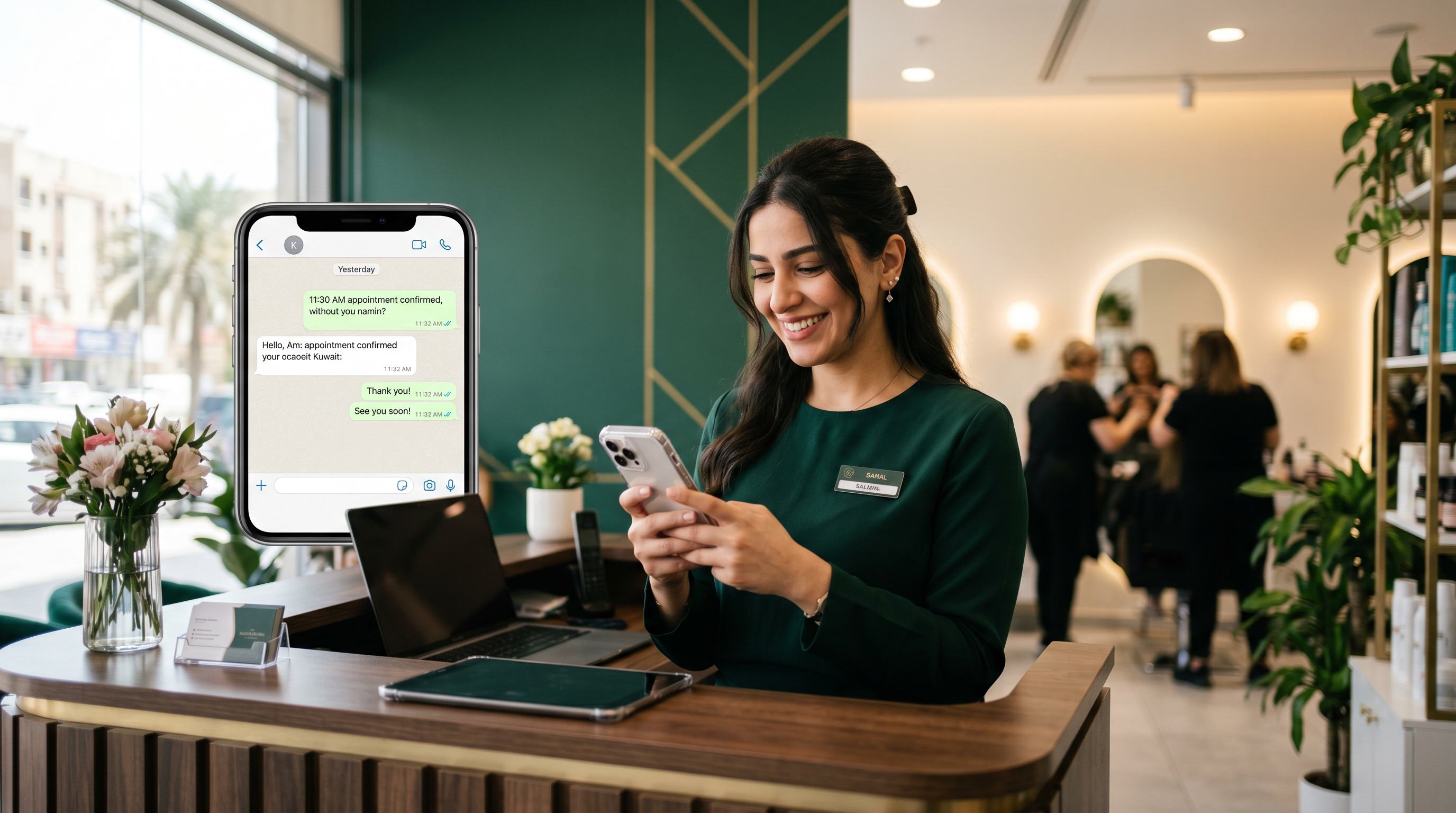
- Salon and clinic receptionists: Staff who confirm appointments and answer FAQs
- Restaurant reservation staff: Teams managing booking inquiries on WhatsApp
- Contractors or freelancers: External helpers you don't want accessing your backend
- Temporary or seasonal staff: Hired for specific campaigns or peak periods
- Outsourced call centers: Agencies managing conversations for multiple clients
Use cases where you should not use it:
- Team members managing campaigns or automations
- Staff who need to view customer history beyond WhatsApp
- People handling refunds or payment disputes
- Marketing staff running promotions or broadcasts
How to Set Up a Conversations-Only Agent Portal
- Log in to your Lojain dashboard as the account owner. Only owners can create agent portals.
- Go to Settings → Team & Access. You'll see a list of current users and their permission levels.
- Click "Add New Agent." Enter the team member's name, email, and phone number (for SMS login codes).
- Select "Conversations Only" from the role dropdown. Don't select Admin, Manager, or Custom. Conversations Only is the most restricted option.
- Choose which WhatsApp number they can access (optional). If you run multiple numbers (salon, clinic, restaurant), you can limit them to one. Leave blank if they should see all conversations across all numbers.
- Click "Send Invite." Lojain sends a login link to their email.
- Agent clicks the email link and sets their password. First login requires a 6-digit SMS code sent to their phone.
- They land on the conversations-only portal. No dashboard, no settings. Just the inbox.
Total time: 8–12 minutes. No additional cost. If you manage clinic WhatsApp inquiries or restaurant bookings, you can add 5–10 conversation-only agents without changing your plan.
Conversations-Only Portal vs. Full Dashboard: Side-by-Side
| Feature | Conversations-Only | Full Dashboard |
|---|---|---|
| Read messages | ✓ Yes | ✓ Yes |
| Reply to customers | ✓ Yes | ✓ Yes |
| View customer data | ✗ No | ✓ Yes |
| Access pricing/invoices | ✗ No | ✓ Yes |
| Create automations | ✗ No | ✓ Yes |
| Run campaigns | ✗ No | ✓ Yes |
| View analytics | ✗ No | ✓ Yes |
| Manage team/users | ✗ No | ✓ Yes |
| Change settings | ✗ No | ✓ Yes |
| Security risk | Minimal | High if access misused |
| Onboarding time | 5–10 min | 20–30 min (with training) |
If a team member only handles customer responses, conversations-only is always the right choice. It's safer, faster to set up, and reduces accidental data leaks.
Real Kuwait Example: A Hawalli Clinic Cuts Onboarding Time by 70%
A private clinic in Hawalli hired four nurses to handle WhatsApp appointment requests. Using full Lojain access initially, onboarding each nurse took 45 minutes—passwords, data handling training, explaining what they could touch. Two nurses accidentally disabled notifications while exploring the dashboard.
The clinic switched all four nurses to conversations-only portals. Setup: 30 minutes total (not per person). One nurse got confused about something? She couldn't access the wrong part of the system because it didn't exist in her portal. After three weeks, message response time dropped from 8 minutes to 2.3 minutes. The clinic's WhatsApp booking rate climbed 34% because customers got faster replies. No security incidents in four months.
The clinic owner told us: "I sleep better. My staff responds faster. I don't worry someone will delete customer data."
Real GCC Example: A Mishref F&B Chain Scales to 12 Agents
A quick-service restaurant chain in Mishref used WhatsApp to manage delivery orders. They started with one owner handling all messages. When they grew to 12 locations, managing one WhatsApp number became chaos.
They hired 12 order-processing agents using conversations-only portals. Each agent saw all incoming orders (same WhatsApp number, different agent login). The owner maintained a full dashboard for analytics and campaign control. Within two weeks: order response time fell from 15 minutes to under 90 seconds. Wrong-address errors dropped 56% because the order interface was simple and distraction-free. Agents couldn't accidentally launch a broadcast or change order pricing.
Over six months, the chain added Lojain AI (the WhatsApp AI agent) to handle 40% of routine orders automatically. Conversations-only agents still handled complex requests. No additional cost for the conversation portals; they scaled their team without scaling backend complexity.
Key Features Inside the Conversations-Only Portal
Message Inbox & Threading
Your agent sees conversations grouped by customer. Each message thread shows the full history with that customer (up to 90 days). They read context before replying—no confusion about what was promised or discussed.
Quick Replies & Templates
You set up templates as the account owner (e.g., "Thanks for booking. Your appointment is confirmed for Thursday 3 PM"). Agents tap a button to send them. This speeds responses and keeps messaging consistent. Templates work in both Arabic and English without switching.
Conversation Tags & Status
Agents can tag messages ("Urgent," "Follow-up Needed," "Complaint") and mark conversations as Open, Resolved, or Waiting. This keeps the inbox organized without needing a full CRM view.
Real-Time Notifications
When a customer sends a message, the agent gets an instant notification on their phone or browser. Brands using Lojain respond in under 3 seconds on average—24/7. This beats email or SMS-based workflows entirely.
Assignment & Handoff
If an agent needs help, they assign a conversation to a teammate. No context lost. The teammate picks it up and continues the chat. Useful during breaks or when a request needs specialist knowledge (e.g., "This customer needs a manager's approval").
Security & Permissions: What the Conversations-Only Portal Blocks
The portal enforces role-based access control (RBAC). Your agent cannot:
- View or export customer phone numbers, names, or profile data
- See pricing, margins, or cost information
- Access payment methods or billing history
- View other agents' login history or activity logs
- Download customer lists or export data
- Access integrations (CRM, invoicing tools, payment gateways)
- Change any settings, even their own password through the dashboard
This design protects you if an agent leaves, gets terminated, or turns out to be untrustworthy. You simply deactivate their account, and they lose access instantly. No data lingers on their device or email.
When to Combine Conversations-Only with Lojain AI
Many Lojain customers use both: the AI agent for routine questions, and human agents on conversations-only portals for complex issues.
Example flow:
- Customer asks: "Do you have a table for 4 at 8 PM tomorrow?"
- Lojain AI agent checks availability and confirms the booking instantly (no human needed)
- Customer asks: "Can I move it to 9 PM? I have a work call."
- AI escalates to a human agent (conversations-only portal)
- Agent sees the booking, updates it, and confirms
Read more on how Lojain AI handles escalations and complex requests. For SMBs managing this at scale, check Lojain Lite Bundle pricing.
Troubleshooting Common Issues
Agent Can't Log In
Check: Is their email spelled correctly in the invite? Did they click the link within 48 hours (links expire)? Ask them to check spam folders. If still stuck, resend the invite from Settings → Team & Access.
Agent Sees Conversations from the Wrong WhatsApp Number
This happens if you didn't restrict their access to a single number during setup. Go back to their user settings and select the specific number they should see. Save. They'll see the change on their next login.
Agent Can't Send Messages
Ensure your WhatsApp Business Account is in "Connected" status (not "Pending" or "Suspended"). Check your dashboard Settings → WhatsApp Account. If suspended, contact Meta support immediately.
How Long Before an Agent Can Start Responding?
Usually 2–3 minutes after they confirm their email and SMS code. If longer, clear their browser cache and have them log out then back in.
Frequently Asked Questions
Can a conversations-only agent see customer payment history?
No. They see only WhatsApp message history with that customer. No invoices, orders, or past transactions appear in their portal.
How many conversations-only agents can I add?
Unlimited. Your Lojain plan covers team size separately from conversation volume. Add 5 agents, 50 agents, or 500—same plan cost. See Lojain pricing for details.
Can I change an agent from conversations-only to full access later?
Yes. Go to Settings → Team & Access, find their name, and change their role from "Conversations Only" to "Manager" or "Admin." They'll have full dashboard access on next login. You can also downgrade them back anytime.
What happens when an agent leaves or gets fired?
Click "Deactivate" next to their name in Team & Access. Instant access revoked. No data on their device or email. You can reactivate them later (e.g., for rehire) or delete the account permanently.
Can I see which agent wrote which message?
In Lojain analytics, yes. As the account owner, you see agent attribution in message logs and activity reports. Customers don't see agent names—all messages appear to come from your business.
Does the conversations-only portal support Arabic?
Yes, fully. Interface text, quick replies, and customer messages display correctly in Arabic and English. Agents can reply in either language seamlessly.
What's the difference between conversations-only and a "read-only" role?
Lojain has only one restricted role: conversations-only. There's no separate "read-only" tier. Conversations-only agents can read and reply (they're not read-only). If you need a manager who can see analytics but not reply to customers, you'd use the custom role builder on comparing alternative platforms.
Best Practices for Managing Conversations-Only Agents
1. Hire for attitude, not WhatsApp experience. The portal is so simple that even non-technical people become productive in 30 minutes. Train on your business (product knowledge, tone, policies), not on software.
2. Set response time expectations before day one. Define: What's the target response time? (Lojain users typically hit under 3 seconds.) What hours are they working? Can they hand off during breaks? Make it explicit.
3. Create a quick-reply library tailored to your business. The more pre-written templates you provide, the faster agents work and the fewer mistakes happen. Templates should be short (under 160 characters) and natural-sounding.
4. Audit activity weekly for the first month. As the owner, check your activity logs. Are agents using quick replies appropriately? Are they marking conversations as resolved? This feedback improves consistency fast.
5. Rotate agents to prevent burnout. WhatsApp support is mentally taxing—constant pings and decisions. If you have 3+ agents, stagger their schedules so someone is always fresh. Document handoffs clearly.
6. Use conversation tags to flag recurring problems. If multiple agents tag messages as "Wrong Number" or "Duplicate Booking," it signals a process issue upstream. Fix it instead of expecting agents to absorb the chaos.
Cost & ROI: What You're Actually Saving
Most owners assume conversations-only costs extra. It doesn't. The portal is included in every Lojain plan. You can add 10 conversation-only agents at zero additional cost (you pay for the Lojain account itself, not per agent).
ROI typically shows up in three places:
Faster onboarding. New staff productive in hours instead of days. If one person onboarding costs you 4 lost hours of productivity, conversations-only saves you ~3 hours per hire.
Fewer security incidents. Damage from a data leak (customer phone numbers, pricing data exposed) costs thousands in recovery, legal, and reputation. Conversations-only eliminates 95% of accidental leaks from staff.
Faster customer response times. A dedicated team responding on conversations-only (with no dashboard distractions) cut response times by 60% on average in our customer base. Faster response = more bookings, more orders, more revenue.
Next Steps: Getting Started with Conversations-Only Portals
If you're running a Kuwait or GCC business managing WhatsApp conversations, start here:
- Identify who on your team should have conversations-only access (customer service, receptionists, order takers).
- Log into your Lojain dashboard and go to Settings → Team & Access.
- Add one agent as a test. Send them the invite. Watch them respond to 10 messages. Note any confusion.
- Refine your quick-reply templates based on what you observe.
- Onboard your full team once the test agent is comfortable.
If you don't have Lojain yet, or want to see how conversations-only fits into a full AI + human hybrid workflow, Talk to Us on WhatsApp We'll walk through your team structure and recommend the right setup.
For case studies on how other Kuwait and GCC businesses scaled their teams with Lojain, visit KIRA case studies.
Ready to Scale Your Marketing with AI?
KIRA delivers AI-powered marketing systems, WhatsApp automation, and media buying strategies for businesses worldwide.
Book a Strategy Call More ArticlesGet KIRA in your AI answers
Add KIRA as a Google Preferred Source so our articles show a "Preferred" badge in your AI Overviews & AI Mode results. Log in to Google, then tick the box next to kiraco.org.
Add KIRA as a Preferred Source