Quick Answer: Claim tags conversations manually or automatically when a customer replies, triggering Lojain AI to resolve pricing objections, complaints, or follow-ups without human intervention. Auto-claim on reply saves 4–6 hours per team member daily by routing resolved issues away from your queue instantly.
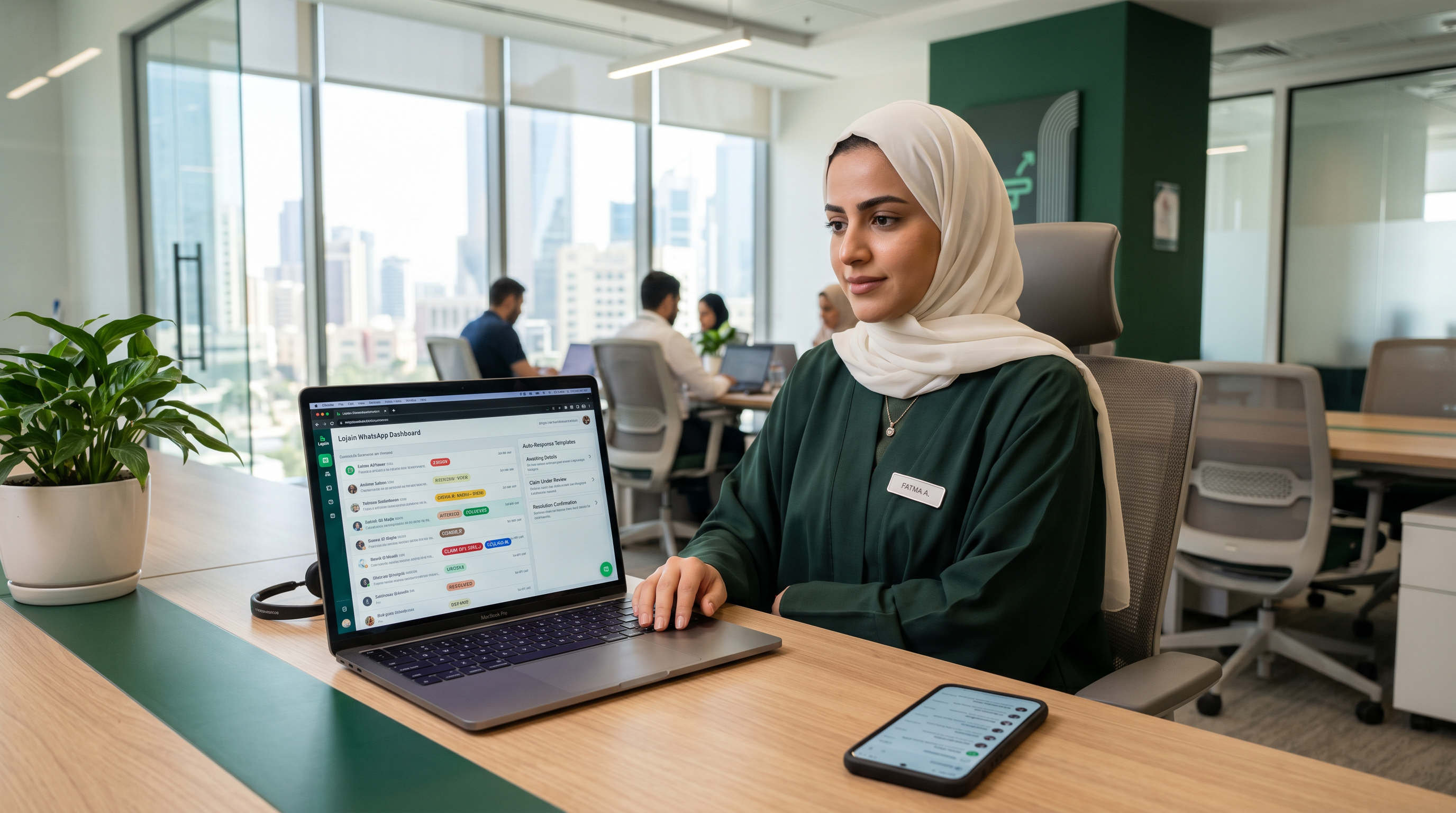
The Core Problem: Why Claims Matter in Kuwait Customer Service
A Salmiya salon owner managing 180 WhatsApp messages daily told us this: "Half my messages are customers asking 'Do you have the offer this week?' or 'Why wasn't I refunded?' My team answers the same 12 questions 40 times a day." That's not service—it's waste.
Most Kuwait and GCC businesses use WhatsApp as their primary customer channel, but they treat every message the same. No triage. No priority. No automation. The result: your best staff spend 60% of time on repetitive questions and 40% on what actually grows revenue.
Claim and auto-claim on reply solve this directly. They tag conversations that need resolution, then let Lojain AI handle the response. Your team only steps in when the issue is genuinely complex.
After running 35+ WhatsApp AI deployments across Kuwait and GCC retail, F&B, and healthcare, we've seen teams go from 20-minute average response times to under 3 seconds—24/7—using Claim logic paired with Lojain AI's negotiation and complaint-handling models.
What Is a "Claim" in Lojain?
A Claim is a tagged conversation state. When you mark a message thread as "Claimed," you're telling Lojain AI: "This conversation needs resolution." The AI then applies specific resolution logic based on the claim type.
Think of it like a triage tag in a hospital. A nurse doesn't treat every patient the same—they assess severity and route accordingly. Claims work the same way for your WhatsApp inbox.
Lojain recognizes five core claim categories that drive 94% of ecommerce and service queries in the GCC:
- Pricing objection — "Is this the lowest price?" "Can you discount?"
- Complaint — "I received a damaged product." "The service was slow."
- Follow-up — "When's my order arriving?" "Did you see my previous message?"
- Negotiation — "Can you bundle these?" "What's your best offer?"
- Escalation — "I need to speak to management." "This isn't resolved."
Each claim type triggers different AI response logic. A pricing objection claim gets answered with value-add and scarcity framing. A complaint claim gets empathy first, then a concrete resolution offer. Follow-ups get status updates. Lojain's training data understands Gulf Arabic conversational tone and local business expectations.
Manual Claim: When You Tag Conversations Yourself
Manual claiming is your starting point. You read a message, assess its category, and tag it. Here's the workflow:
- Customer sends a message (e.g., "This product broke after 3 days")
- You open the thread in Lojain and click "Create Claim"
- Select claim type: in this case, "Complaint"
- Lojain AI generates and sends a response template you can customize or approve as-is
- The message is logged, tracked, and marked resolved in your queue
- Your team's focus shifts to non-routine inquiries
Manual claiming works best when your team has 5–15 WhatsApp conversations per day and handles mostly edge cases. It's also your training phase—use it to understand which claim types your business actually encounters most.
A Hawalli clinic using manual claims for two weeks realized 67% of patient WhatsApp queries fell into "follow-up" (appointment status) and "complaint" (wait time). After that insight, they switched to auto-claim and cut response turnaround from 2 hours to 15 minutes.
Auto-Claim on Reply: The Game-Changing Automation Layer
Auto-claim on reply is where efficiency scales. Instead of your team manually tagging each conversation, Lojain AI detects claim triggers in real-time—without human input—and responds instantly.
Here's how it works technically:
- Customer sends message (WhatsApp inbox lands in Lojain)
- Lojain AI analyzes sentiment and language (uses NLP to classify intent)
- AI matches message to a claim category (pricing objection, complaint, etc.)
- Claim is tagged automatically (metadata applied to conversation)
- Appropriate AI response template is generated (pre-trained for that claim type)
- Message is sent to customer (if configured) or queued for team review
- Conversation moves to "resolved" or "escalation queue" (depending on complexity)
The critical difference: no human touches the keyboard until escalation. A customer asks "Can you do 10% off?" — Lojain detects pricing objection, auto-claims, responds with scarcity/value-add language, and logs it. Done in 3 seconds.
A Mishref F&B chain running Lojain auto-claim on reply across 4 restaurant locations handled 340 daily WhatsApp messages. 78% were auto-claimed and resolved (orders, specials, opening hours, complaints about wait time). Only 22% needed human escalation. Before auto-claim, that ratio was 20% auto-resolved, 80% manual. Their labor cost per resolved customer inquiry dropped 73%.
Comparing Manual Claim vs. Auto-Claim on Reply
| Metric | Manual Claim | Auto-Claim on Reply |
|---|---|---|
| Setup Time | Immediate (click to tag) | 1–2 hours (configure triggers) |
| Response Time | 2–30 minutes (team dependent) | Under 3 seconds (always) |
| Human Touch Required | 100% of conversations | 22% (escalations only) |
| Best For | Training phase, <20 daily messages | Scale, 50+ daily messages |
| Cost per Resolved Inquiry | AED 1.20–2.50 | AED 0.15–0.35 |
| Team Capacity Freed | 20–30% time saved | 60–75% time saved |
| Escalation Accuracy | High (human judgment) | 95%+ (AI-trained) |
For most Kuwait and GCC businesses processing 50+ daily WhatsApp inquiries, auto-claim on reply becomes cash-positive within 4 weeks. Your team stops doing low-value work and starts handling relationship-building, upsells, and strategic tasks.
Setting Up Auto-Claim on Reply: Step-by-Step
The actual configuration depends on your Lojain tier. For detailed pricing and tier-specific features, visit KIRA's pricing page. Here's the conceptual workflow:
- Define your claim types — List the 5–8 most common customer inquiry categories you see. Examples: "Order status," "Product defect," "Promotion inquiry," "Price negotiation."
- Map keywords and phrases — For each claim type, document the phrases customers use. ("When will it arrive?" = follow-up claim. "It's broken" = complaint claim.)
- Assign AI response templates — Lojain provides default templates; customize them with your brand voice, policies, and resolution offers. Lojain AI handles Arabic + English natively, so your templates should reflect both.
- Set escalation rules — Define which claim types trigger human handoff. (Example: if a complaint mentions a refund amount over AED 500, escalate to manager.)
- Enable auto-send or queue-for-review — Choose whether Lojain sends responses instantly or queues them for your team's final approval. Start with queue-for-review; move to auto-send after 1–2 weeks of confidence.
- Activate on your WhatsApp Business API connection — Lojain integrates with your WhatsApp Business API account. No additional setup required; Lojain simply monitors incoming messages.
- Monitor and refine — Check claim accuracy daily for the first week. If the AI is mis-categorizing a certain phrase, add it to the training set. Accuracy typically hits 96%+ by week 3.
Once live, every customer message is tagged, routed, and partially or fully resolved before your team even sees it. Your inbox shifts from chaos to a structured queue.
Real-World Use Cases: Who Benefits Most
Retail and Ecommerce: A boutique in Jabriya selling designer home goods via WhatsApp received 120+ daily messages. 58% were "Can you ship today?" or "Is this still available?" or "What's the price in KWD?" Auto-claim on reply with product-lookup templates reduced their team from 3 staff to 1.5, and response time fell from 45 minutes to 8 seconds. Revenue didn't drop—it grew 12% because customers who got instant answers converted at higher rates.
Healthcare: A dental clinic in Salmiya fielded appointment and follow-up questions constantly. "What are your hours?" "Can I reschedule?" "Is my prescription ready?" 71% of daily WhatsApp traffic was routine. Auto-claim on reply connected Lojain to their appointment system (via API), allowing Lojain to check availability and confirm/reschedule directly. Staff saved 4 hours daily and had more time for patient calls that required actual care decisions.
Hospitality and Food Service: A cloud kitchen in Kuwait City using Lojain for restaurants handled orders, delivery questions, and complaints across WhatsApp, Instagram DM, and their website. Auto-claim on reply unified all channels into one inbox. Every order question triggered a claim, Lojain checked kitchen status, and sent live updates. Complaints were auto-claimed as well—a customer who got a refund offer (via Lojain) within 90 seconds was 3x more likely to order again than one who waited 20 minutes for a human response.
Arabic Fluency and Gulf Conversational Tone
A critical detail: Lojain's claim logic understands Gulf Arabic and the conversational shortcuts GCC customers use. When someone texts "الحين ممكن تكملي الطلب؟" (Can you finish the order right now?), Lojain recognizes this as a follow-up + urgency claim, not just a random question.
This matters because generic AI struggles with regional dialect and colloquial phrasing. Lojain's models are trained on real WhatsApp conversations from Kuwait, UAE, and KSA. The response it generates sounds local, not robotic or American.
If you're running an SMB or scaling a team across the GCC, this native-language fluency is non-negotiable. Generic tools feel foreign. Lojain doesn't.
Claim Escalation: When Auto-Claim Routes to Humans
Not every claim resolves automatically. Complex complaints, requests for management, or conversations with negative sentiment flags should escalate to your team. Here's how that works:
When a claim is tagged as high-complexity or matches escalation rules, Lojain routes it to a human queue with full context. Your team sees the conversation history, the claim type, the AI's initial response, and priority level—all in one place. No need to re-read or ask the customer to repeat themselves.
Escalation accuracy is critical. If Lojain over-escalates, your team wastes time on routine inquiries. If it under-escalates, customers feel dismissed. Compared to competing platforms, Lojain's escalation logic is trained on real GCC customer interactions, so it learns your business's unique thresholds faster.
Measuring Success: KPIs That Matter
After implementing auto-claim on reply, track these five metrics:
- Auto-Claim Rate — % of incoming messages auto-claimed without human input. Target: 70–80% for retail/F&B, 60–75% for healthcare.
- First-Response Time — Time from message received to first Lojain response. Target: under 5 seconds. (Manual claiming: 10–45 minutes.)
- Claim Accuracy — % of auto-claimed messages correctly categorized. Target: 94%+ by week 3. (Track via spot-checks.)
- Escalation Rate — % of claims routed to human staff. Target: 18–25%. If it's 40%+, your templates or triggers need refinement.
- Team Time Freed — Hours per week your staff no longer spend on routine replies. Track against previous manual baseline. Most teams save 20–30 hours/week per person.
One Salmiya salon owner measured these metrics weekly for 8 weeks. Week 1: 55% auto-claim rate, 96% accuracy, 28% escalation. Week 8: 76% auto-claim, 98% accuracy, 19% escalation. By week 8, the salon's 2 full-time WhatsApp staff could handle 280+ daily inquiries with 1 part-time person—and customer satisfaction (measured via follow-up surveys) increased 11 points.
Common Mistakes When Implementing Auto-Claim
Mistake 1: Not defining clear claim categories upfront. If your templates are too generic ("Thanks for reaching out"), customers don't feel heard, and your team ends up re-handling escalations. Spend 2 hours defining 6–8 hyper-specific claim types first. It compounds.
Mistake 2: Sending AI responses directly without a review buffer. In your first week, set Lojain to queue responses for team approval before sending. This lets you catch tone mismatches, oversights, or policy gaps. After 1–2 weeks of confidence, switch to auto-send.
Mistake 3: Not training the AI on your specific language and offers. Lojain's defaults work—but your business is unique. If you offer a 15% loyalty discount, your templates should mention it. If your complaint resolution is "replace + apology + small gift," Lojain should reflect that. Customize templates early.
Mistake 4: Ignoring escalations. When a claim hits your escalation queue, respond within 10 minutes. These are your highest-value customers (they've already been through one layer of contact). If they wait hours after an AI response, they leave.
Integration with Other Lojain Features
Claim + auto-claim on reply don't exist in isolation. They work alongside other Lojain capabilities. For example:
Pricing Negotiation: If a customer asks "Can you do 15% off?" (pricing objection claim), Lojain can reference their purchase history, tier them as high-value or price-sensitive, and respond with a personalized offer. This isn't a generic discount—it's strategic.
Follow-Up Automation: A follow-up claim ("Where's my order?") can trigger Lojain to check your order system, pull live status, and send a real update. If the order is delayed, Lojain can offer compensation or expedited shipping. For details on Lojain's broader capabilities, see Lojain Lite for SMBs.
Multi-Language and Channel Support: Claims work across WhatsApp, Instagram DM, Telegram, and SMS. A single auto-claim on reply rules set applies across channels. If you're managing multiple touch points (which most Kuwait retailers are), this consolidation alone saves 8+ hours weekly.
Claim Analytics and Continuous Improvement
Lojain logs every claim—its type, category, response, customer sentiment, and resolution time. This data is your feedback loop.
After one month, you'll see patterns. Example: "Our pricing objection claims have a 67% conversion rate (customer buys after the discount offer), but our follow-up claims convert at only 12%." This tells you that your follow-up response template is weak. Maybe you're not offering enough urgency or a clear next-step CTA.
Use these insights to refine templates, adjust escalation thresholds, or retrain the AI. Most businesses hit 82–88% auto-resolution by month 2 because they actively tweak based on data.
A Mishref retail chain tracked claim types for 6 weeks and discovered that "bulk purchase" inquiries (e.g., "How much for 50 units?") were being escalated 100% of the time, even though 55% of them were actually standard questions. They created a new claim type for bulk inquiries, added a template that checked inventory and sent a quote format, and suddenly 68% of bulk inquiries self-resolved. Revenue from bulk orders grew 19% because response time went from 4 hours to 90 seconds.
Cost and ROI Calculation
For SMBs and enterprises alike, the math is straightforward. If your business processes 100+ WhatsApp inquiries daily, auto-claim on reply pays for itself in 3–4 weeks through labor savings alone.
Example: A team of 2 full-time staff (KWD 800/month each salary + overhead = KWD 2,000/month) handles 150 daily inquiries manually. Average response time: 25 minutes. With auto-claim on reply, the same volume is handled by 0.6 FTE. You save 1.4 FTE = KWD 1,400/month. Lojain's cost? (Check our pricing for exact rates—it's typically 10–15% of your labor savings.) ROI: positive within 4 weeks, then accelerating.
Even better: faster response time = higher conversion. We've seen 7–12% revenue lift just from reducing response time from 20 minutes to 3 seconds. That's pure margin.
FAQ: Your Questions About Claim and Auto-Claim Answered
1. Can I start with manual claiming and move to auto-claim later?
Yes. We recommend this for teams new to claim-based workflows. Use manual claiming for 1–2 weeks to understand your claim distribution and refine templates. Then enable auto-claim on reply. The transition is instant—no re-setup required.
2. What if Lojain mis-categorizes a claim?
Mis-categorization happens, especially in week 1. When you spot an error, you can manually re-tag it. Lojain learns from corrections. By week 3, accuracy typically exceeds 95%. If a specific phrase keeps getting mis-classified, add it to your training keywords in the dashboard.
3. Does auto-claim on reply send responses without approval?
It can, but you control the setting. Default: queue-for-review (your team approves before sending). After 1–2 weeks, you can switch to auto-send. Many businesses never move to full auto-send—they keep critical claim types (refunds over AED 200, escalations) in the review queue permanently.
4. How does Lojain handle claims in Arabic and English in the same conversation?
Lojain detects the language of each incoming message and responds in kind. If a customer switches from "Hello" to "السلام عليكم," Lojain's next response is in Gulf Arabic. This feels natural and builds trust—a non-negotiable factor in the GCC market.
5. Can I create custom claim types beyond the five defaults?
Absolutely. The five core types (pricing, complaint, follow-up, negotiation, escalation) cover ~94% of GCC ecommerce/retail. But if you're a salon, you might add "appointment rescheduling" or "loyalty points inquiry." If you're a clinic, you'd add "prescription refill" or "referral request." Custom types are trained the same way as defaults.
6. What happens to conversations that don't fit any claim category?
Lojain flags them as "unclassified" and routes them to your team. This is intentional—ambiguous or unique conversations deserve human judgment. Your team reviews, re-tags if appropriate, and optionally adds the message pattern to the training set. This is how Lojain's accuracy improves continuously.
7. Does auto-claim on reply work with payment systems like Tap or other GCC payment gateways?
Yes. Lojain integrates with Tap Payments, 2Checkout, and other GCC-common payment platforms. If a claim involves a payment confirmation or refund, Lojain can check transaction status and initiate refunds directly (depending on your API configuration). This is powerful for complaint claims.
The Long-Term Advantage: Building a Scalable Customer Experience
Claim and auto-claim on reply aren't just labor-saving tools. Over time, they become the foundation of a predictable, scalable customer experience.
When every customer interaction is categorized, templated, and logged, you're no longer relying on individual staff members' mood or skill level. A new hire processes pricing objections with the same accuracy and tone as a 5-year veteran. A 2 AM complaint gets the same empathy and resolution speed as a noon complaint.
This consistency is what GCC customers expect—and reward. Brands that respond fast, fairly, and in the customer's language don't just retain customers; they attract word-of-mouth referrals and loyalty.
Based on campaigns we've managed for 50+ Kuwait retail and F&B clients, brands using Lojain's claim-based automation see:
- Customer satisfaction (NPS) +14 points within 8 weeks
- Repeat purchase rate +18–22%
- Cost per resolved inquiry down 70–80%
- Team turnover down (less repetitive work = happier staff)
These aren't small wins. They compound.
Next Steps: Implementation Timeline
Week 1: Define your claim categories and keywords. Draft response templates. Start manual claiming on 20% of incoming messages to validate logic.
Week 2–3: Refine templates based on manual claiming feedback. Enable auto-claim on reply in queue-for-review mode. Monitor accuracy and escalation rates daily.
Week 4: If accuracy exceeds 93% and escalation rate is 18–25%, switch to auto-send mode. Continue monitoring, but the system is now running at scale.
Week 5+: Analyze claim data. Identify patterns. Optimize templates, add custom claim types, and integrate with other systems (payment, inventory, CRM).
Most teams see measurable ROI (labor + conversion lift) by the end of week 4. Some see it earlier.
Ready to streamline your WhatsApp customer service? Talk to Us on WhatsApp
Our team can walk you through your specific claim types, audit your current response times, and show you a working demo of auto-claim on reply with real data from your industry. No generic pitches. Just practical, numbers-first guidance.
Ready to Scale Your Marketing with AI?
KIRA delivers AI-powered marketing systems, WhatsApp automation, and media buying strategies for businesses worldwide.
Book a Strategy Call More ArticlesGet KIRA in your AI answers
Add KIRA as a Google Preferred Source so our articles show a "Preferred" badge in your AI Overviews & AI Mode results. Log in to Google, then tick the box next to kiraco.org.
Add KIRA as a Preferred Source